Loopy Pro: Create music, your way.
What is Loopy Pro? — Loopy Pro is a powerful, flexible, and intuitive live looper, sampler, clip launcher and DAW for iPhone and iPad. At its core, it allows you to record and layer sounds in real-time to create complex musical arrangements. But it doesn’t stop there—Loopy Pro offers advanced tools to customize your workflow, build dynamic performance setups, and create a seamless connection between instruments, effects, and external gear.
Use it for live looping, sequencing, arranging, mixing, and much more. Whether you're a live performer, a producer, or just experimenting with sound, Loopy Pro helps you take control of your creative process.
Download on the App StoreLoopy Pro is your all-in-one musical toolkit. Try it for free today.
Comments
Eliminating a non-functional UI element would make a lot of sense.
GeoShred/GeoSWAM Cyber Monday Specials
GeoSWAM Collection II - Our new collection of 5 instruments: GeoTrumpet, GeoBassTrombone, GeoBassFlute, GeoViola and GeoPizzBass. Normally priced at $59.99USD, Collection II is discounted to $49.99USD, a 33% discount off the individual cost.
GeoSWAM Collection I - The classic collection of 6 instruments: GeoViolin, GeoTenorSax, GeoFlute, GeoCello, GeoClarinet, GeoOboe. Normally priced at $74.99USD, Collection I is discounted to $59.99USD, a 33% discount off the individual cost.
GeoSWAM Collection I + II - Both Collections 11 instruments: GeoViolin, GeoTenorSax, GeoFlute, GeoCello, GeoClarinet, GeoOboe, GeoTrumpet, GeoBassTrombone, GeoBassFlute, GeoViola and GeoPizzBass. Normally priced at $119.99USD Collection I + II is discounted to $109.99USD, a 33% discount off the individual cost.
GeoShred Pro - Normally priced at $24.99USD is discounted to $14.99USD, a 40% discount.
GeoShred Play - Our entry level product can be upgraded to Pro and can be used purchase the GeoSWAM instruments, is available FREE OF CHARGE.
**Note that Apple sets the local territory price and may add additional local charges such as VAT, GST.
Just bought this! Thanks for adding some brass instruments to the collection! I was going to look in to setting up GeoShred Pro MIDI control of the SWAM app but got lazy and got into other stuff instead.
The default tuning for GeoBass Trombone was not quite in the range that is suitable for playing this melody but that was easy enough to edit. Obviously the instrument in the video is different but GeoBass Trombone sounds pretty darn good as an alternative.
I was going to look in to setting up GeoShred Pro MIDI control of the SWAM app but got lazy and got into other stuff instead.
Geoshred has a stock patch for controlling the SWAM apps. No setup required!
@moForte I have the swam trumpet and trombon, is it the same ones in geoshred? Any reason why I should buy the geoswam? Thanks
That's cool but thanks to GeoSWAM Collection II, I'm good now.
Is there a way to turn generated midi from step sequencer (like StepPoly Arp) into MPE, to trigger GeoShred Swam, maybe Mozaic?
Would be nice if this had a StepSeq built in..
@RajahP , any sequencer should work with GeoInstruments… just make sure you don’t use channel 1 and it should be fine.
Cool... Will Try... Thanks..
This hit the spot... Bought the Trumpet because of this info... Thanks...
Wow, this is lovely!
Yes that is correct. We have a preset called "MIDI Out iOS SWAM". It's #21 in the setlist "MIDI OUT" or #285 in the setlist "All Presets" (the preset pool). There is also a video showing how to use this here:
Application Note #34: Using GeoShred to Control iOS SWAM Apps
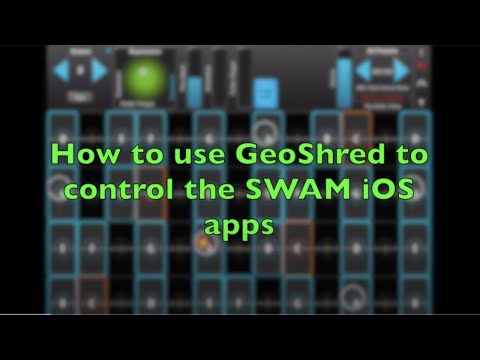
Note that you can find this video in GeoShred directly under "Menu> Help> Video Manual ... > Application Note #34 ..."
As always, the Video Manual and all Application Notes can be found here:
or directly in GeoShred under "Menu> Help> Video Manual ..."
The GeoTrombone and the SWAM Trombone are different in various ways.
There is an extensive video that discuses these differences here:
Application Note #33: Getting Started with the GeoSWAM Instruments
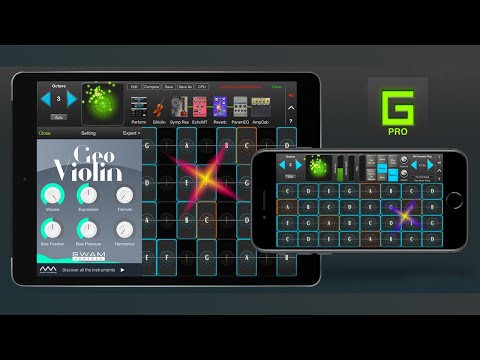
It can also be found directly in GeoShred under "Menu> Help> Video Manual ... > Application Note #33 ..."
MPE is MIDI 1.0! It's a way of using MIDI 1.0 for per-note expression. In it's default form, notes are sent on Channels 2..16. Expression is sent on the same channel as the note. The primary expression control for the GeoSWAM models must be Channel Pressure which is the "third dimension of control" in MPE. Global expression is sent on channel 1. Here is our overview of MPE:
http://www.moforte.com/wp-content/uploads/2018/03/CCRMA-OH18-presentation.pdf
For me the main advantage of the GS models is that you can run them through the GS fx. The resonator patches and the formant filter patches are my favorites.
I think I might prefer the SWAM apps for brass though, because I like the tonguing, half-valve, and mute options a lot. I don’t know how many of those options are exposed in the GS model.
The GeoSWAM brass has Flutter Tongue, Growl and Mutes.
My test share.. GeoSwarm Trumpet and Sax.. iBassist Seq… Atom2 …AUM.
The tenorsax has more control than the ios version. It has flutter and growl control which is grey out on the swam ios version.