Loopy Pro: Create music, your way.

What is Loopy Pro?Loopy Pro is a powerful, flexible, and intuitive live looper, sampler, clip launcher and DAW for iPhone and iPad. At its core, it allows you to record and layer sounds in real-time to create complex musical arrangements. But it doesn’t stop there—Loopy Pro offers advanced tools to customize your workflow, build dynamic performance setups, and create a seamless connection between instruments, effects, and external gear.

Use it for live looping, sequencing, arranging, mixing, and much more. Whether you're a live performer, a producer, or just experimenting with sound, Loopy Pro helps you take control of your creative process.

Download on the App Store

Loopy Pro is your all-in-one musical toolkit. Try it for free today.

Piano Motifs by Fernando Morales

1565759616283

Comments

  • @MonkeyDrummer one of my favorite apps.

  • @MonkeyDrummer said:
    I'm kicking myself for being late to the party on this app. I ignored it because when I first looked at it on release it didn't have midi out... Then I forgot about it.

    Man, that was a mistake. This thing is awesome as you all know.

    @MonkeyDrummer, very glad you're liking the app. Thanks for your feedback.

    I've got some workflow question about how to use arrangements:

    • If I create a motif, go to "arrange", duplicate the initial one that's pre-populated, there doesn't seem to be a quick way to make minor mods to the copy... right? You have to essentially create a motif, save it, make some tweaks save it, open arrange view, load the first one you saved, move it to the first position, then save the arrangement? Then if you want to tweak the initial one, you need to basically load the initial one alone, make the tweaks, save it (and it don't seem to let you save "over" the original as it adds a post #), so then you need to open the arrangement view, delete the original and then load in the modified original...

    Am I doing something wrong, because this seems /really/ cumbersome... It seems that I should be able to just choose "edit" on a motif in the arrangement view to make some tweaks to say the arp type, etc...

    There are a few things you can edit directly in the Arrange Screen. You can trim the section, you can change the octave for the melody and/or the accompaniment, and you can change the key of the section (using the semitones option). Those are the only things you can edit for a motif that has already been generated.

    A couple other little quality of life kinda things...

    • In Arrange view, it would be nice if there was a "duplicate" that just put a copy of a motif next to it's parent, rather than the 2 step of having to paste, then go back and move it.

    You do have the option to paste (replace the selected section) or insert (add the copied section before the selected section), there is no need to move it. It is still a copy/paste operation.

    • Also, it would help clean things up if there was a parameter in arrange for each motif that could be set for "play count" or "repeat n" so there was not the need to have the same motif multiple times.

    for these two, I'm referring to display on the main screen similar to how it's displayed when you play in arrange view... But Arrange view does not have loop option... So...

    This is something I could look into for future versions. Create a loop count for each section. The idea was to be able to easily visualize a song structure like AABA in the Arrangement Screen.

    • Some kind of display during playback of the currently playing chord/voicing would be super handy

    The chord progression used for randomly generated motifs is the result of a base chord progression that can then be modified by the random accompaniment chosen and many other random internal parameters that can vary by beat, so it is really not easy to abstract this information for display. Unfortunately this is not something I can offer at the present time. 

    • When playing an arrangement, a display of the name of the currently playing motif would be useful as well.

    Let me see what I can do about this for future revisions of the app.

    • Both of the above seem much more important than the clock counter of bar:beat count, so may be a ... toggle option like in the octave/transpose pane?
  • @Samu said:
    So I finally caved in and got Piano Motifs...
    ...the only question I have now is. Why did I wait so long?

    There's enough control in there to put ones own touch to it and well, dropping the generated midi onto Logic, add a Drummer and well, things start cooking...

    Now I just have to learn how to customize the Riffler guitar-thing which is due for a major update soon, or so I've heard :sunglasses:

    Oooooo another big update for Riffler you say? I’m excited for that, it’s one of my favorite apps.

    Glad you’re enjoying PM, it’s a killer.

  • edited April 2023

    @Samu said:
    So I finally caved in and got Piano Motifs...
    ...the only question I have now is. Why did I wait so long?

    There's enough control in there to put ones own touch to it and well, dropping the generated midi onto Logic, add a Drummer and well, things start cooking...

    Now I just have to learn how to customize the Riffler guitar-thing which is due for a major update soon, or so I've heard :sunglasses:

    @Samu, happy to hear you’re liking the configurability and that it’s fitting in your workflow. Piano Motifs and Riffler do work great together.

  • A new version of Piano Motifs (v4.25) is now available. What’s new in this version:

    • Added Accomp Voice Leading setting. When this setting is On and the accompaniment is a chord accompaniment (either randomly chosen or selected in the Accomp Style), the chords generated will be voice leading chords. When this setting is the default (Def) voice leading chords are chosen 50% of the time. When this setting is Off no voice leading chords are chosen.
    • Fixed issue where the Melody Shift function was not working for melody harmony notes.

    If you are enjoying Piano Motifs please consider leaving a review in the App Store.

    Enjoy!

  • edited April 2023

    @azul3D_Apps (kinda wish there was an easy way for the two to follow each other - chord progression wise)

    SUPURB APP

  • @audiblevideo said:
    @azul3D_Apps (kinda wish there was an easy way for the two to follow each other - chord progression wise)

    SUPURB APP

    Thanks @audiblevideo, yeah, unfortunately the only way is to program the same chord progression in each app.

  • edited April 2023

    A new version of Piano Motifs (v4.27) is now available. What’s new in this version:

    • Added new Accomp Guitar Voicing Setting (Chord Accompaniments Only). When this setting is On and the accompaniment is a chord accompaniment (either randomly chosen or selected in the Accomp Style), the chords generated will have a guitar voicing using the first four frets of the guitar (notes from E1 to G#3). When this setting is Off piano chord voicing will be used.
    Please note that programmed chord inversions won’t work when this mode is selected.

    • Fixed issue for motifs saved before version 2.26. If a motif has Melody Swing Rhythm enabled the app can crash when either loading or playing the motif.

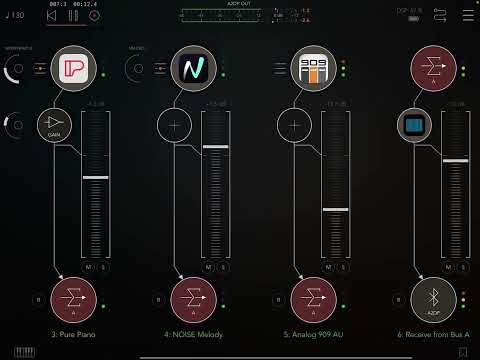
    Here is an example of the new guitar voicing feature:
    If you are enjoying Piano Motifs please consider leaving a review in the App Store.

    Enjoy!

  • @azul3D_Apps said:
    A new version of Piano Motifs (v4.27) is now available. What’s new in this version:

    • Added new Accomp Guitar Voicing Setting (Chord Accompaniments Only). When this setting is On and the accompaniment is a chord accompaniment (either randomly chosen or selected in the Accomp Style), the chords generated will have a guitar voicing using the first four frets of the guitar (notes from E1 to G#3). When this setting is Off piano chord voicing will be used.
    Please note that programmed chord inversions won’t work when this mode is selected.

    • Fixed issue for motifs saved before version 2.26. If a motif has Melody Swing Rhythm enabled the app can crash when either loading or playing the motif.

    Here is an example of the new guitar voicing feature:

    If you are enjoying Piano Motifs please consider leaving a review in the App Store.

    Enjoy!

    Thanks

  • edited April 2023

    Thanks @azul3D_Apps to keep on adding cool features to your already gem of an app !

  • @azul3D_Apps I've grown to really enjoy piano-motifs for quick random ideas.

    One style in particular I'd love to see implemented is Boogie Woogie.
    I love it for 'energy boosts' when feeling a bit down and low-mood.

    For now I follow Dr. K's channel on YouTube...

    ...it always brings a smile to my face :sunglasses:

  • edited May 2023

    Inspired by @geoTony 's blues track: https://forum.audiob.us/discussion/55288/the-teraverse-blues#latest

    I have created a tutorial on how to easily generate your own blues track. Check it out:

  • edited May 2023

    @RajahP, @Gratouilli hopefully you'll find good use for the new features in your creations.

  • edited May 2023

    @Samu said:
    @azul3D_Apps I've grown to really enjoy piano-motifs for quick random ideas.

    One style in particular I'd love to see implemented is Boogie Woogie.
    I love it for 'energy boosts' when feeling a bit down and low-mood.

    For now I follow Dr. K's channel on YouTube...
    ...it always brings a smile to my face :sunglasses:

    @samu, cool video! Good to hear you're enjoying the random ideas generated by Piano Motifs. On the Boogie Woogie request, I have purposely stayed away from defining specific musical styles in the app, although some accomps are more geared towards some styles than others. That said, it would be good if a random or sequenced Boogie Woogie bass line could be generated. Currently there are 2 issues with this: accompaniments don't have the ability for swing rhythm (melodies do) and the Accomp Seq Accomp Style can't be programmed to have out of scale notes (which is needed for the chromatic step of the basic Boogie Woogie bass line between 4 and 5 for example in CMaj). I will see what I can do in the future to incorporate some of the aspects of this style.

  • @azul3D_Apps heya… found a repeatable bug that causes hard crash (at least for me)

    Press save
    Press cancel on save screen

    Instacrash in AUM midi channel

    Let me know if you need more info to diagnose.

  • @MonkeyDrummer said:
    @azul3D_Apps heya… found a repeatable bug that causes hard crash (at least for me)

    Press save
    Press cancel on save screen

    Instacrash in AUM midi channel

    Let me know if you need more info to diagnose.

    Hi @MonkeyDrummer, thanks for reporting this issue. The crash happens for both the standalone and the AUv3 MIDI Plug-in. There will be a fix for this in the next release.

  • @MonkeyDrummer said:
    @azul3D_Apps heya… found a repeatable bug that causes hard crash (at least for me)

    Press save
    Press cancel on save screen

    Instacrash in AUM midi channel

    Let me know if you need more info to diagnose.

    @MonkeyDrummer, this issue has been resolved in the latest version of Piano Motifs (v4.29). Added bonus: when playing an arrangement in the Main Screen, the section’s motif name, key and scale are now being displayed.

  • I’ve been using this tonight and just have been really happy with the results. @azul3D_Apps, you did such a great job with motifs resolving themselves. I’ll have one here and there that meanders a bit much but so often the motif will resolve in a way that my ear is pleased and didn’t fully predict how it would resolve

  • @Fingolfinzz said:
    I’ve been using this tonight and just have been really happy with the results. @azul3D_Apps, you did such a great job with motifs resolving themselves. I’ll have one here and there that meanders a bit much but so often the motif will resolve in a way that my ear is pleased and didn’t fully predict how it would resolve

    @Fingolfinzzz, thanks, happy to hear you’re getting good results.

  • McDMcD
    edited May 2023

    While everyone’s busy with the PianoTeq annoucement. Here is our favorite AI Composer driving this new “synth” called PianoTeq:

    WARNING: The Pianos come in HOT at 0:28 to 0:52. Be prepared.

  • @McD said:
    While everyone’s busy with the PianoTeq annoucement. Here is our favorite AI Composer driving this new “synth” called PianoTeq:

    WARNING: The Pianos come in HOT at 0:28 to 0:52. Be prepared.

    Cool 😎! Piano Motifs sounds great playing PianoTeq and now I can see you can tweak it for a broad range of sounds and textures.

  • McDMcD
    edited May 2023

    @azul3D_Apps said:

    @McD said:
    While everyone’s busy with the PianoTeq annoucement. Here is our favorite AI Composer driving this new “synth” called PianoTeq:

    WARNING: The Pianos come in HOT at 0:28 to 0:52. Be prepared.

    Cool 😎! Piano Motifs sounds great playing PianoTeq and now I can see you can tweak it for a broad range of sounds and textures.

    My next project will be to stand up 3 PianoTeq instances in AUM and run them from the 3 Piano Motifs MIDI channels.

    Here we go… Piano, Bass and a dreamy accompaniement in 3 PianoTeq instances. No additional FX used… just PianoTeq FX options.

  • @McD said:

    @azul3D_Apps said:

    @McD said:
    While everyone’s busy with the PianoTeq annoucement. Here is our favorite AI Composer driving this new “synth” called PianoTeq:

    WARNING: The Pianos come in HOT at 0:28 to 0:52. Be prepared.

    Cool 😎! Piano Motifs sounds great playing PianoTeq and now I can see you can tweak it for a broad range of sounds and textures.

    My next project will be to stand up 3 PianoTeq instances in AUM and run them from the 3 Piano Motifs MIDI channels.

    Here we go… Piano, Bass and a dreamy accompaniement in 3 PianoTeq instances. No additional FX used… just PianoTeq FX options.

    Sounds great! Pianoteq is a really winner.

  • I just bought piano Motifs. Is there a way to add a chord that is out of the selected scale ? I can’t seem to find one.

  • @ecou said:
    I just bought piano Motifs. Is there a way to add a chord that is out of the selected scale ? I can’t seem to find one.

    You can only add scale chord, alternate scale chords (minor if major or major if minor) and secondary dominates (the 5th of each scale note). That’s what is available. I suspect the part of the code that adds melody is very scale centric other wise you could be offered all twelve roots with a list of chord types.

    The good new is when someone asks for some new app feature it’s generally granted in a subsequent update. Try it out…
    Just ask and start a timer.

  • Can anyone please provide a screenshot / manual listing parameters that are available as AU params in AUM?
    I'm seriously considering buying this, it looks so cool, but want to know if I can set params and trigger functions.

    Basically I'd like Mozaic to send a MIDI cc to Piano Motifs, Piano Motifs to generate something, then send another MIDI cc to start it.

    Is this possible?

  • @belldu said:
    Can anyone please provide a screenshot / manual listing parameters that are available as AU params in AUM?
    I'm seriously considering buying this, it looks so cool, but want to know if I can set params and trigger functions.

    Basically I'd like Mozaic to send a MIDI cc to Piano Motifs, Piano Motifs to generate something, then send another MIDI cc to start it.

    Is this possible?

    Sadly melody and accompaniment velocity are the only exposed params in AUM.

  • @HotStrange said:

    @belldu said:
    Can anyone please provide a screenshot / manual listing parameters that are available as AU params in AUM?
    I'm seriously considering buying this, it looks so cool, but want to know if I can set params and trigger functions.

    Basically I'd like Mozaic to send a MIDI cc to Piano Motifs, Piano Motifs to generate something, then send another MIDI cc to start it.

    Is this possible?

    Sadly melody and accompaniment velocity are the only exposed params in AUM.

    Oh, that's sad. I've seen videos where it links to host tempo too, and I guess host start and stop, but I was hoping I could get it to generate a phrase on demand from a trigger in Mozaic.
    I'm after a bunch of short realtime generated 'musical' phrases, so may learn some melody theory and try to write something myself in Mozaic!

  • @belldu said:

    @HotStrange said:

    @belldu said:
    Can anyone please provide a screenshot / manual listing parameters that are available as AU params in AUM?
    I'm seriously considering buying this, it looks so cool, but want to know if I can set params and trigger functions.

    Basically I'd like Mozaic to send a MIDI cc to Piano Motifs, Piano Motifs to generate something, then send another MIDI cc to start it.

    Is this possible?

    Sadly melody and accompaniment velocity are the only exposed params in AUM.

    Oh, that's sad. I've seen videos where it links to host tempo too, and I guess host start and stop, but I was hoping I could get it to generate a phrase on demand from a trigger in Mozaic.
    I'm after a bunch of short realtime generated 'musical' phrases, so may learn some melody theory and try to write something myself in Mozaic!

    Yeah it still links to host tempo and start/stop but nothing available to automate. Are you wanting to automate parameters or just send midi stop/start messages?

  • @McD said:

    @ecou said:
    I just bought piano Motifs. Is there a way to add a chord that is out of the selected scale ? I can’t seem to find one.

    You can only add scale chord, alternate scale chords (minor if major or major if minor) and secondary dominates (the 5th of each scale note). That’s what is available. I suspect the part of the code that adds melody is very scale centric other wise you could be offered all twelve roots with a list of chord types.

    The good new is when someone asks for some new app feature it’s generally granted in a subsequent update. Try it out…
    Just ask and start a timer.

    Thank you. I'll submit a request. Never hurts to try .

Sign In or Register to comment.