Loopy Pro: Create music, your way.

What is Loopy Pro?Loopy Pro is a powerful, flexible, and intuitive live looper, sampler, clip launcher and DAW for iPhone and iPad. At its core, it allows you to record and layer sounds in real-time to create complex musical arrangements. But it doesn’t stop there—Loopy Pro offers advanced tools to customize your workflow, build dynamic performance setups, and create a seamless connection between instruments, effects, and external gear.

Use it for live looping, sequencing, arranging, mixing, and much more. Whether you're a live performer, a producer, or just experimenting with sound, Loopy Pro helps you take control of your creative process.

Download on the App Store

Loopy Pro is your all-in-one musical toolkit. Try it for free today.

LK - for Ableton Live & Midi by Imaginando - AUv3 Clip Launcher Finally Available in AUM!!

12324262829130

Comments

  • edited October 2020

    Here's another little process video here:
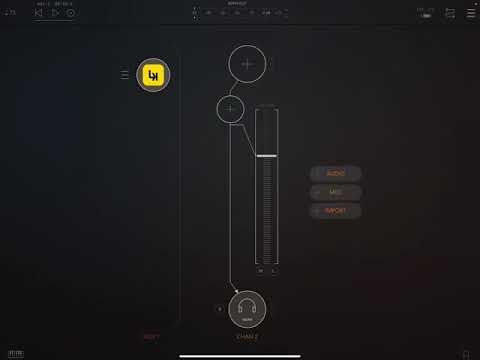
    You can jump to around 3:55 if you want to skip the setup routine.

  • So I am getting more and more into this. Why is it when I copy a track or clip and paste it, it does not keep the scale that I had in the original track?? Does it only copy the notes???
    Thanks

  • edited October 2020

    Probably. This is an interesting Settings issue. Should the Scale set by user be Global or Local to the Track? I’d vote for Global but i could see users wanting to control the Scale on a per track basis.

    Any chance we could have a Check Box to enable Global Scale On/Off somewhere in Settings in the Info Panel for the Scale drop down?

  • @echoopera
    Great stuff, and I really appreciate the setup. Have you been able to record midi into an LK clip from, say, an Atom instance?

  • edited October 2020

    Having a blast with the latest Beta. Thanks again @sinosoidal for this update. The peoples will love it 👊🏼™️
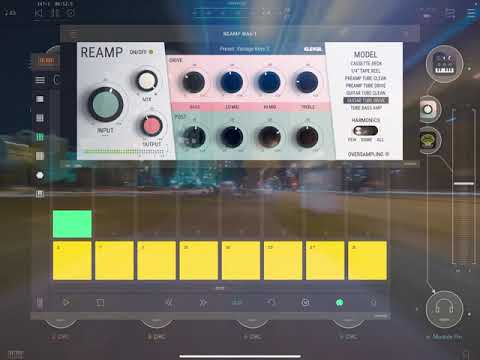
    LK+DRC Joy:

  • @echoopera said:
    Probably. This is an interesting Settings issue. Should the Scale set by user be Global or Local to the Track? I’d vote for Global but i could see users wanting to control the Scale on a per track basis.

    Any chance we could have a Check Box to enable Global Scale On/Off somewhere in Settings in the Info Panel for the Scale drop down?

    Other thing is and maybe this has been mentioned. If I set a scale and the come back to it later after I have entered notes it defaults back to chromatic scale.

  • @echoopera said:
    Having a blast with the latest Beta. Thanks again @sinosoidal for this update. The peoples will love it 👊🏼™️
    LK+DRC Joy:

    This is awesome! :heart: Thanks for sharing. :blush:

  • @onerez said:

    @echoopera said:
    Probably. This is an interesting Settings issue. Should the Scale set by user be Global or Local to the Track? I’d vote for Global but i could see users wanting to control the Scale on a per track basis.

    Any chance we could have a Check Box to enable Global Scale On/Off somewhere in Settings in the Info Panel for the Scale drop down?

    Other thing is and maybe this has been mentioned. If I set a scale and the come back to it later after I have entered notes it defaults back to chromatic scale.

    We have made the scale a clip property. It should be working that way in version 1.8.3. If it is not, we need to review that.

  • I already commented on their respective channels and videos... But thanks so much @sinosoidal for the updates and awesome work, and @echoopera for being so efficient to have dropped 3 videos in the recent hours, where we enjoyed the music and how you work

    :heart: :love: :heart:

  • amazing company with another amazing update

  • @senhorlampada said:
    I already commented on their respective channels and videos... But thanks so much @sinosoidal for the updates and awesome work, and @echoopera for being so efficient to have dropped 3 videos in the recent hours, where we enjoyed the music and how you work

    :heart: :love: :heart:

    :heart: :blush:

  • @cazel said:
    amazing company with another amazing update

    wow! thanks for your incredible feedback

  • edited October 2020

    Another awesome update!
    Any videos showing the MPC Mini support? I don't have one, but they're cheap enough that I'd consider getting one to play with. I do, however, have a LPX and OG LP Pro, so depending on the timeline for them to be supported I could just wait.

  • @sinosoidal said:

    @onerez said:

    @echoopera said:
    Probably. This is an interesting Settings issue. Should the Scale set by user be Global or Local to the Track? I’d vote for Global but i could see users wanting to control the Scale on a per track basis.

    Any chance we could have a Check Box to enable Global Scale On/Off somewhere in Settings in the Info Panel for the Scale drop down?

    Other thing is and maybe this has been mentioned. If I set a scale and the come back to it later after I have entered notes it defaults back to chromatic scale.

    We have made the scale a clip property. It should be working that way in version 1.8.3. If it is not, we need to review that.

    This appears to be working correctly now. Thanks!!!!!

  • @rs2000 said:

    @sinosoidal said:
    .... However, we have made significant improvements to the piano roll, namely point out the notes of the selected scale and root key, which can be chosen from the clip properties panel.

    Excellent!
    Could you please add a function to select a group of notes and make a custom scale from it?

    Wow, never thought of that, but that will be nice and

    @jolico said:

    Thanks... midi export.. interesting..

  • edited October 2020

    @sinosoidal said:
    @jolico said:

    For the next 48 hours we are doing 50% OFF MATRIX module!

    Thank you all for your support! :blush:

  • Midi export! 🤩🤩🤩 Ok, now I will definitely learn this app. Channel routing has been the biggest gaff for me. Any way we can get an undo button for when I forget to change to a different clip for recording?

  • @wim said:

    @Artvarg said:
    Can I somehow assign different midi channels to the parameters on the controller page?

    Tap a controller, then tap channel at the top.

    I was hoping to assign a separate channels to the different controllers, but I can only change the MIDI channel globaly. 🤔 For example I wanna change some CC on channel 1 with the first slider and something on channel 5 with the second slider. 😐

  • edited October 2020

    @Artvarg said:

    @wim said:

    @Artvarg said:
    Can I somehow assign different midi channels to the parameters on the controller page?

    Tap a controller, then tap channel at the top.

    I was hoping to assign a separate channels to the different controllers, but I can only change the MIDI channel globaly. 🤔 For example I wanna change some CC on channel 1 with the first slider and something on channel 5 with the second slider. 😐

    Hrmmm...it's a bit of a hack, but you could open another instance or two of LK and assign it to the specific Midi Channel or Channels you want to affect...

  • @Artvarg Standalone might be a problem, but if you're working alongside AUM you don't need to worry about channel so much. Go to AUM and make the other app's CC you want to control the same Channel and Parameter.

  • What's the idea of MIDI Export to Ableton ? I know is a feature a lot of ppl likes but i don't get it. I'm still in between iOS/Desktop world.

    I know i can write MIDI from LK in iOS and play with my instruments there, but in Ableton i don't have any VSTs or that kind of things, just want to use Ableton for creating/mixing.

    Does this help me in any way ?

  • @sinosoidal bought all iap other then matrix to show you my love❤️ You really did an amazing job constantly improving this app.

    10 stars and more deserved.

  • @Lil_Stu07 said:
    Midi export! 🤩🤩🤩 Ok, now I will definitely learn this app. Channel routing has been the biggest gaff for me. Any way we can get an undo button for when I forget to change to a different clip for recording?

    @Charlesalbert said:
    @sinosoidal bought all iap other then matrix to show you my love❤️ You really did an amazing job constantly improving this app.

    10 stars and more deserved.

    :heart:

  • @Liquidmantis said:
    Another awesome update!
    Any videos showing the MPC Mini support? I don't have one, but they're cheap enough that I'd consider getting one to play with. I do, however, have a LPX and OG LP Pro, so depending on the timeline for them to be supported I could just wait.

    We have got a Launchpad X and a Launchpad Mini Mk2 to implement next

  • @Lil_Stu07 said:
    Midi export! 🤩🤩🤩 Ok, now I will definitely learn this app. Channel routing has been the biggest gaff for me. Any way we can get an undo button for when I forget to change to a different clip for recording?

    Eh? there is an undo button. B)

  • @Artvarg said:

    @wim said:

    @Artvarg said:
    Can I somehow assign different midi channels to the parameters on the controller page?

    Tap a controller, then tap channel at the top.

    I was hoping to assign a separate channels to the different controllers, but I can only change the MIDI channel globaly. 🤔 For example I wanna change some CC on channel 1 with the first slider and something on channel 5 with the second slider. 😐

    Ahh. I see that now. Yes, that would be nice.

  • Am I right in thinking the ‘Matrix’ IAP is basically a piano roll?
    If so, how does it compare to Atom/what we know about Atom 2?

  • @wim said:

    @Lil_Stu07 said:
    Midi export! 🤩🤩🤩 Ok, now I will definitely learn this app. Channel routing has been the biggest gaff for me. Any way we can get an undo button for when I forget to change to a different clip for recording?

    Eh? there is an undo button. B)

    Where? I admit I have tried this app maybe a handful of times and I really want to love it. It has a lot of cool features but I keep getting roadblocked. Admittedly I think it's my own impatience. Undo would make it much easier to continue from my blunders. Where exactly is it? Also does it undo like ableton or like atom? I love atom but wish the undo would undo notes that were played in.

Sign In or Register to comment.