Loopy Pro: Create music, your way.
What is Loopy Pro? — Loopy Pro is a powerful, flexible, and intuitive live looper, sampler, clip launcher and DAW for iPhone and iPad. At its core, it allows you to record and layer sounds in real-time to create complex musical arrangements. But it doesn’t stop there—Loopy Pro offers advanced tools to customize your workflow, build dynamic performance setups, and create a seamless connection between instruments, effects, and external gear.
Use it for live looping, sequencing, arranging, mixing, and much more. Whether you're a live performer, a producer, or just experimenting with sound, Loopy Pro helps you take control of your creative process.
Download on the App StoreLoopy Pro is your all-in-one musical toolkit. Try it for free today.

Comments
such a great app!
So many nice things in this update, congrats and thanks @giku_beepstreet ❤️
i was not able to use the lp mini mk3 mapping. has someone a tip how to make it work?
Just installed Drambo from the App Store. App Store says v2.40 but the info in Drambo says v2.32(18).
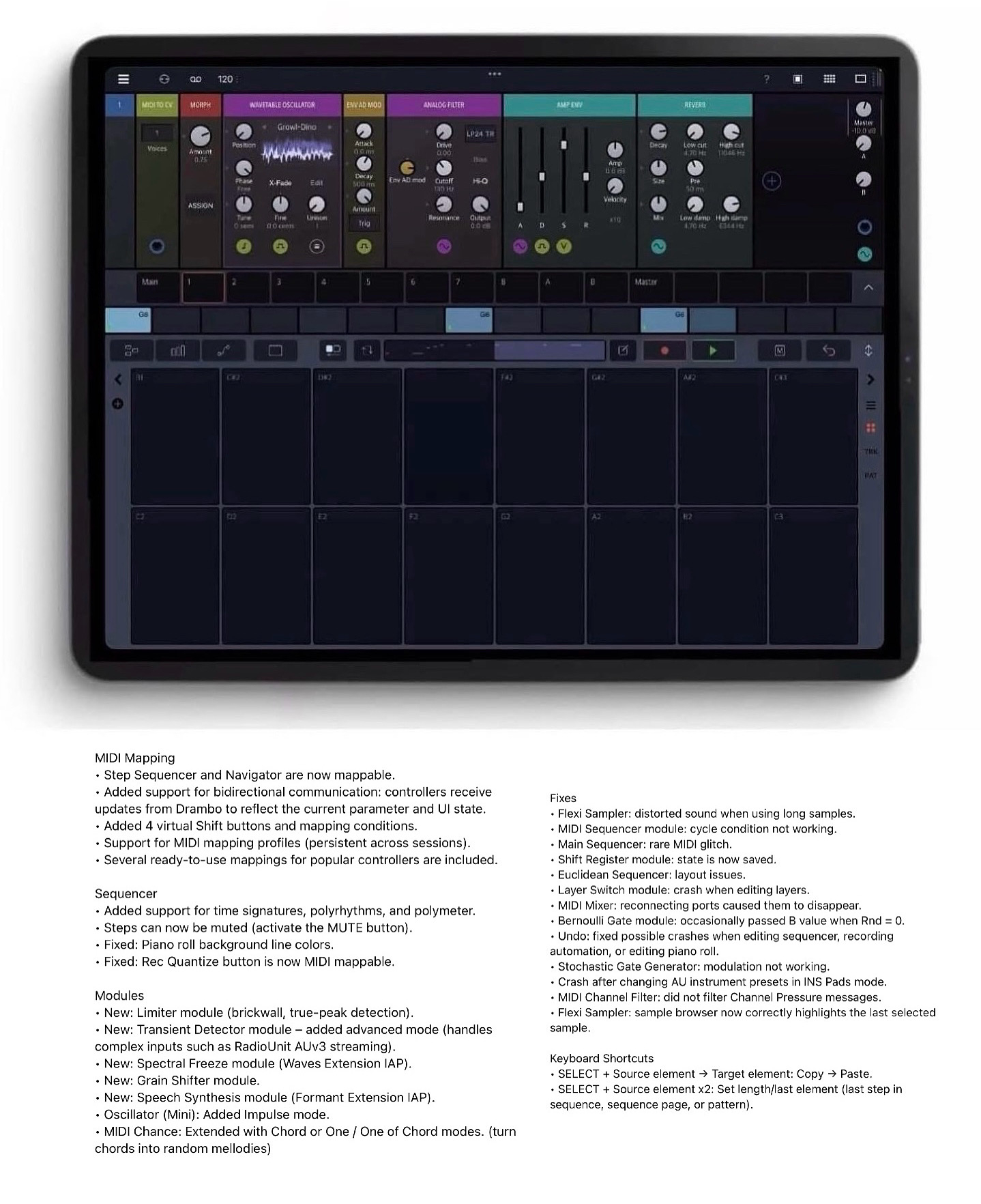
I couldn’t find the Spectral Freeze module. Tried from the Waves extension, too.
I think it is called Spectral Freezer. I can find it.
In the Drambo store it's part of the DSP extension 1...
Could you please post a screenshot of your LP Mini mk3 name as it appears in MIDI inputs?
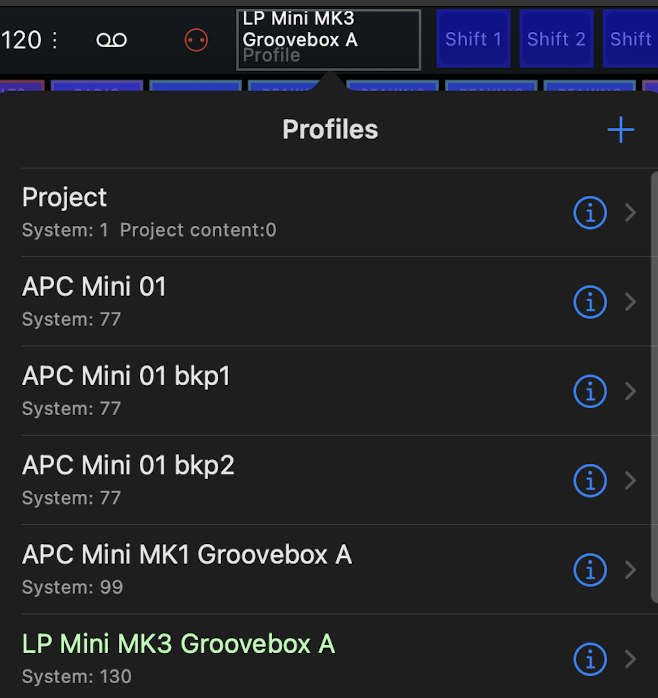
You also need to enable it in the new MIDI mapping profiles dialog:
Yea that spectral freeze is the bomb. Very simple and sounds great.
So happy I bought this on sale, it’s fantastic.
Christmas came early
if anyone can tell me how to support Beepstreet beyond buying the apps (have them all), let me know...given how many hours I've spent in Drambo compared to what I paid for it, it feels like theft
I just found out that my launchpad is called "Launchpad Mini MK3 LPMiniMK3 MIDI Out" and not "LPMiniMK3 MIDI Out" as Drambo expects. When I change the Port and the Feedback Port to my names the mapping seem to work.
Congrats @giku_beepstreet
Happy to see the new features released to the masses.
Nice!
Can anyone point the way to those 4 virtual shift buttons..? Thx
Huge! Thanks to the developer 💜💜💜
Awesome update! Congrats @giku_beepstreet
The picture is incorrect. It's part of the DSP 1 IAP not the Waves IAP.
Yes, that’s what @lasselu also mentioned. Release notes says it is part of Waves extension IAP.
I had just bought Combustor when the DSP extension came out, that’s why I skipped it.
Then you have to play with mapping conditions appropriately
For those of you who have the Spectral Freezer, I'd love to hear it in action...
I think it’s incredibly generous of @giku_beepstreet to offer all this new functionalities and modules for free. Just shows how much good karma the man has
The bidirectional midi stuff could easily justify an IAP but here it is free of charge, for us to enjoy
Looking forward to relearning Drambo again.
And again and again. Def my most value for money app I mean I hate subscriptions like the next guy, never did never will, but drambo would be the one to pop my cherry if it followed that model (loopy has a very sensible model, inspiring, I should mention)
But I mean if it’s not clear, if I would be stranded on a desert island with only one app that would be drambo
Gonna need 5g though
@pedro I'd consider a satellite flat rate instead 😅
What no launchpad pro map? Bummer..
I’m having the same issue.
Can you change the feedback port for all mappings at once?
I think I must be missing something.