Loopy Pro: Create music, your way.
What is Loopy Pro? — Loopy Pro is a powerful, flexible, and intuitive live looper, sampler, clip launcher and DAW for iPhone and iPad. At its core, it allows you to record and layer sounds in real-time to create complex musical arrangements. But it doesn’t stop there—Loopy Pro offers advanced tools to customize your workflow, build dynamic performance setups, and create a seamless connection between instruments, effects, and external gear.
Use it for live looping, sequencing, arranging, mixing, and much more. Whether you're a live performer, a producer, or just experimenting with sound, Loopy Pro helps you take control of your creative process.
Download on the App StoreLoopy Pro is your all-in-one musical toolkit. Try it for free today.
Comments
CPU is fine, iPad 10th gen.
A really lovely app. I don’t understand why people think this app would be some kind of looper pedal.
deleted
deleted
I have seen people complaining about the app. I like it the way it is. Can it be improved? For sure, but if he doesn't do anything on it I am still going to like it. Amazing the sounds I can get from it from just the same notes of a piano fed into every single slot
I’ve been piping police radio into it all afternoon!😂
Agreed 👍
This dude seems to be putting ExoSphere to good use
I can’t work out how to import samples into this thing at all. Or to get input.
Excellent! Where did you get the vocal samples in the first part of this?
Thanks @offbrands @skiphunt The app has a bunch of vocal samples, they're all coming from that.
Reposting this, didn't see this is the main thread.
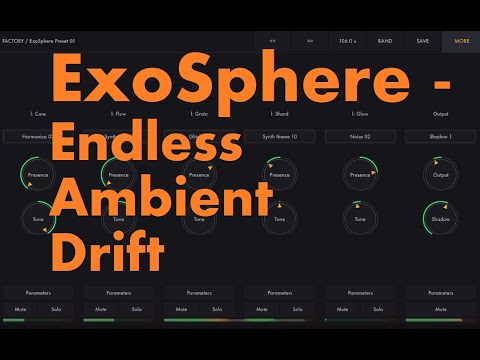
Here's my demo video where I including some drums to the sounds of the app:
I thought so, but wasn’t sure. I used some of them in a couple of the presets I did for the app.
Sounds great 👍
Sure would like to see Pan at least exposed to external automation for each of the layers.
FYI: the part of this video towards the end where he says if you simply save a preset after running in live input, that the recorded input will be saved in the preset. Currently, this is not the case. It’s just in a buffer. When you quit out and then relaunch the saved preset, the buffered audio you captured in your previous session is gone. Doesn’t matter if you saved it as a preset.
That of course may change in a later update, but as the app is now, you’re limited to in-app and imported samples only.
The input data is not actually saved… unless he’s using a newer build than I am.
So there is no way to control the panning of the individual layers, nor are there individual outputs. If this is right, it‘s more a nice toy than something really useful. I do like his other apps a lot. Perhaps in an update – wishful thinking …
deleted
deleted
There are - it's the Presence knobs
The presence knob
Moderators, could u please merge this thread and the other Exosphere thread? @wim
https://forum.loopypro.com/discussion/66660/heads-up-new-igor-vasiliev-app-launched#latest
deleted
This is just a guess... but based on the fact that many here have complained about the complexity of his app interfaces in the past... and based on the app description... it sounds like he was originally going for an easy to use app, with minimal control, that could be used for nice, soothing drones for relaxation and meditation by non-sound users. And yet, give it just enough control and features that it could ALSO be used by sound nerds.
So, I'm guessing the use of words like "Presence" and "Tone" vs "Level" and "Pitch" - are meant to be more intuitive to non-sound app nerds... and hopefully get picked up by the yoga/meditation crowd app buyers too.
I personally don't find them non-intuitive. They kinda do what I'd expect a control labeled "Presence" or "Tone" to do.
Again, just a guess. It was clear to me what they were for from the first time I opened the app, so it wasn't anything I would personally push back on. Made sense to me based on the idea of a more accessible app for non-sound oriented users.
deleted
Well, whatever it is caled that is the knob to change volume.
Watch the Jade or Doug or Gav''s videos and you'll see how the app works.
deleted
Yes, as explained in my video and in the manual. From memory, it's in Random/Options, I might be wrong