Loopy Pro: Create music, your way.
What is Loopy Pro? — Loopy Pro is a powerful, flexible, and intuitive live looper, sampler, clip launcher and DAW for iPhone and iPad. At its core, it allows you to record and layer sounds in real-time to create complex musical arrangements. But it doesn’t stop there—Loopy Pro offers advanced tools to customize your workflow, build dynamic performance setups, and create a seamless connection between instruments, effects, and external gear.
Use it for live looping, sequencing, arranging, mixing, and much more. Whether you're a live performer, a producer, or just experimenting with sound, Loopy Pro helps you take control of your creative process.
Download on the App StoreLoopy Pro is your all-in-one musical toolkit. Try it for free today.
Koala Update: AUv3 Support with Mixer Add-On!

Seriously, could Koala get any better? Now I can use ReelBus and Rymdigare right in Koala.
Edit: edited the title to be more accurate since it’s instruments and effects.
Comments
Brilliant, thanks for the heads up @a.rabbit.
You can put link audio plugins in there to send out to Ableton etc.
Best news!!!
Wow!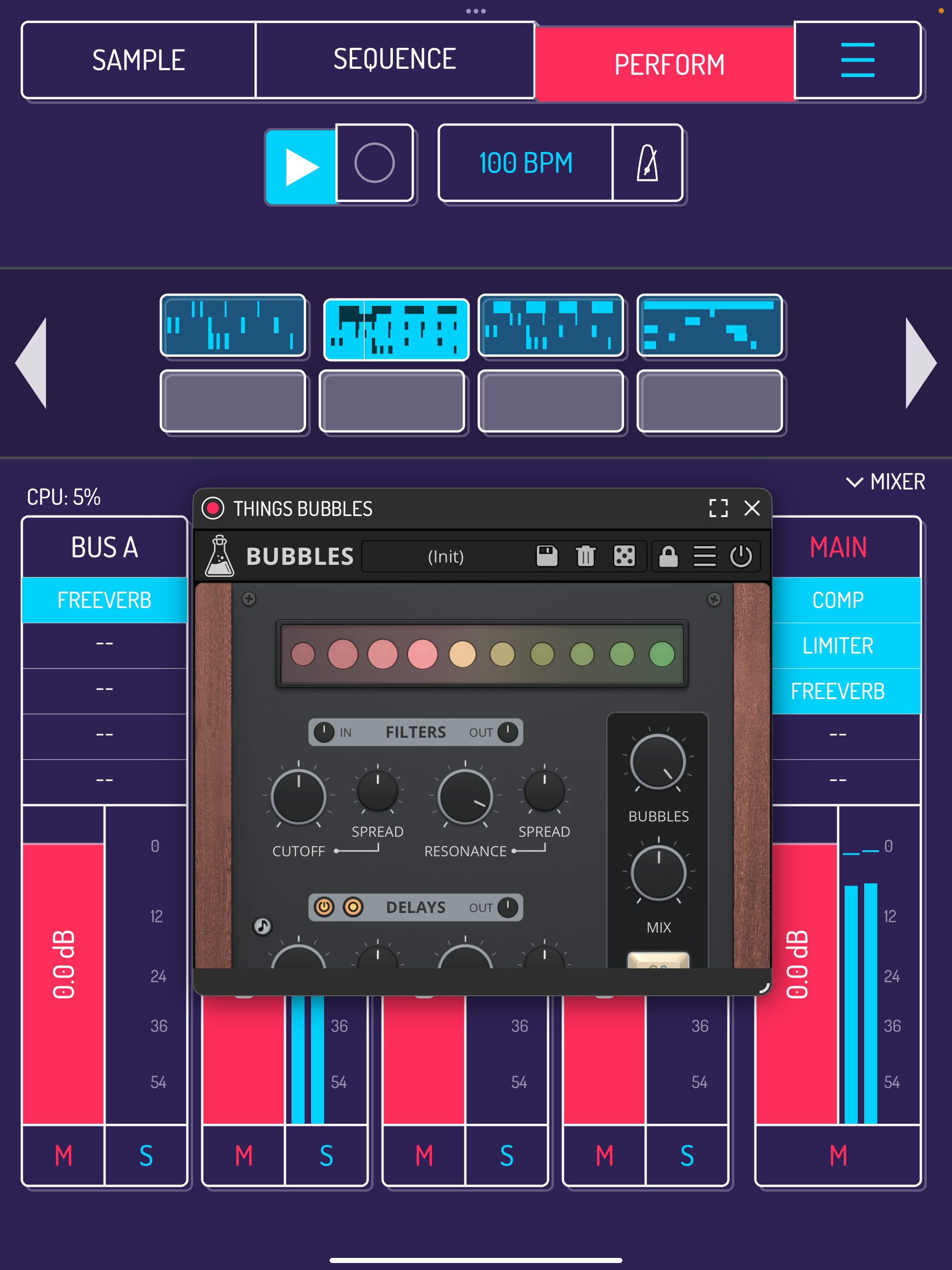
Brilliant it is, and free (with mixer?). That surprised me, a lot. Thanks elf audio!
Edit: And you can use instruments too, first I thought it was only FX, silly me. This is inspiring as hell!
:O where do you see the instruments?
Instruments tooo?!
Wow elfaudio! THANK YOU
Tried to track down as many bugs as I possibly could during the beta, sorry if there's some left...
...I know that it doesn't yet have a built-in preset browser for those AUv3 plug-ins that don't have one built-in.
If you’re in touch with him, maybe a search bar for these special auv3s that are sorted by developer, could be added.
This is a special update. Thanks for testing,
Wow. Another amazing update
Whoa.. What? Fantastic! Thanks @elf_audio for the new fun times ahead.. thanks @Samu for the bug hunting..
What the f?! This is brilliant! Thanks @elf_audio !
While in sample mode tap on a pad then tap on samples/More/Audio Units/Select the Au instrument you want to trigger with pad then drag au unit icon onto the pad.
Thanks for all your help @Samu !
holy crap! this is awesome !
This is a brilliant update, Marek. Thank you so much for this!
The new Isolator effect is a nice addition too.
They are already mostly sorted by developer as far as I can see with a few exceptions but they don't sort properly in other hosts either
My pleasure, I might have missed a few...
Someone up in the thread noted something about sorting but as I don't have a gazillion of Auv3's installed the only plug-in that gets sorted wrong is auGEN X from AUDSPR but other than that I can't find any others.
I think what @elf_audio did is amazing. Now I don't need AUM to sample AUv3 instruments in an Ambient project! I can simply set the input to resample main, drag-and-drop an AUv3 to a pad, play in a sequence or a oneshot, and voila! Plus on the master buss on the mixer, I can use FAC Alteza or Stratosphere Cloud Reverb (or any of my fave reverbs for Ambient)! My mind is simply blown right now at all the possibilities I can do for Ambient music! Thank you again Marek!
Thank you!
Woah I hadn’t even seen that. I just saw the app update mentioned effects.
Or solo the pad with the AUv3 and resample loop (it will render the current pattern to the next available pad).
Personal favorite is to just latch a pad and record live to it.
...On the Mac I use Blackhole to create an aggregate output device so I can sample anything that happens on the Mac
I could use the loop-back channel on the iPad or iPhone as well when my 2i2 4th Gen is connected but Koala still doesn't have proper input channel selection and only allows inputs 1(L) & 2(R) (loopback is usually inputs 3&4 or the two past the last hardware channels). Maybe some day @elf_audio will add input channel selection (I guess He's pretty much fed up and aware of this considering how long I've been pushing this haha).
One thing I've yet to try is the iOS/iPadOS version of Koala on my Mac as I still use the 'Mac Native' version...
Even more brilliant! I didn't know that could be done! Cheers mate.
Never too late to try new things, mate. I'm going to try the "resample loop" method soon. Meanwhile, I just ate lunch, and it's time to produce Ambient!
Koala into Ableton here we come 😄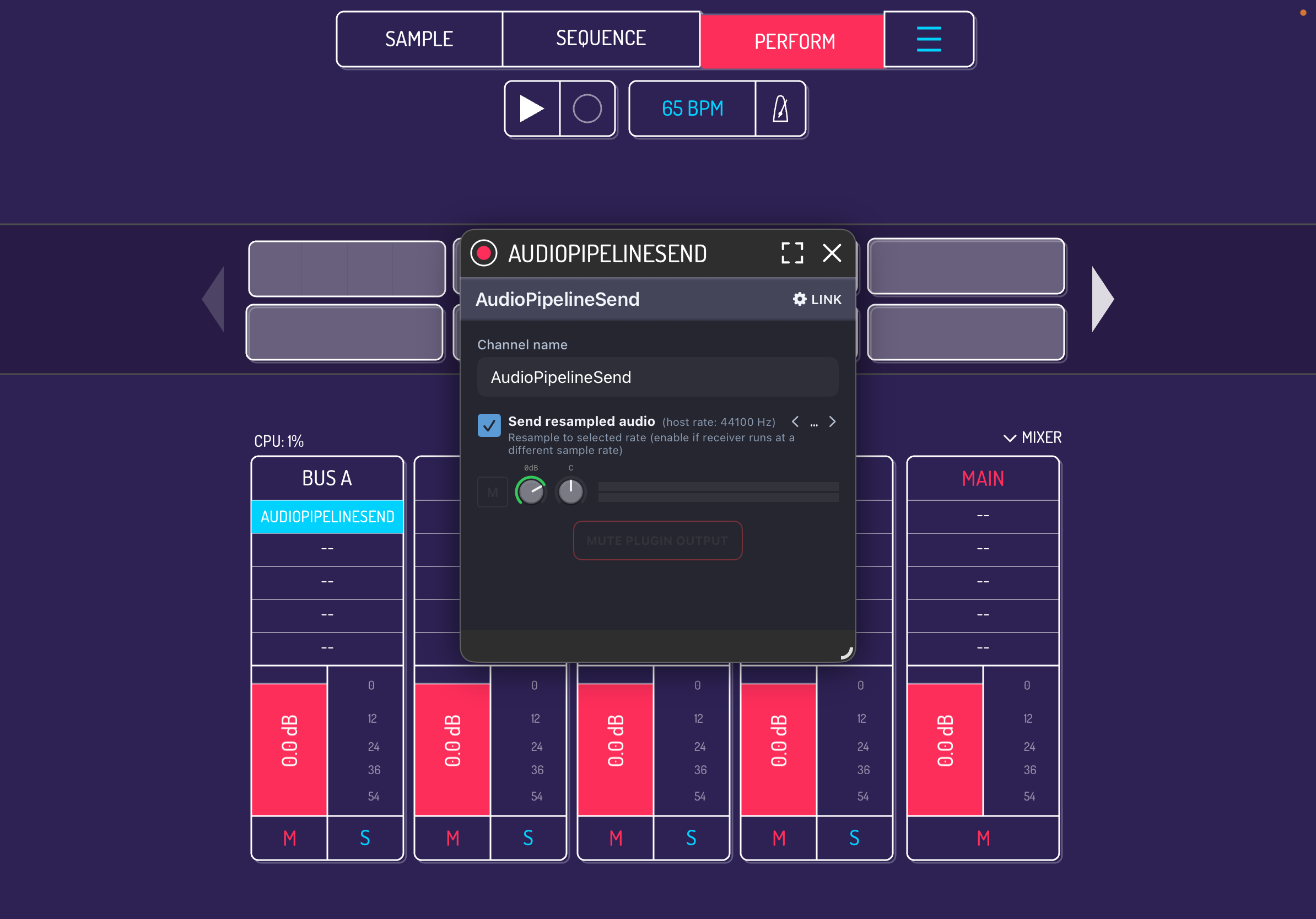
Thank you Marek! @elf_audio
This just made the Koala + SP 404mk2 pairing even more interesting!🙌🏾💥🚀
This is ridiculous. Small children will be writing anthems and developers are crying in their spare rooms. Thank you Marek! @elf_audio
Doesn’t host midi plugins, right?
It does host them but as far as I'm concerned there's no way of using them, except for another app I guess (if that). Anyway, it hosts them and that's what you asked for. ☺️🙃