Loopy Pro: Create music, your way.
What is Loopy Pro? — Loopy Pro is a powerful, flexible, and intuitive live looper, sampler, clip launcher and DAW for iPhone and iPad. At its core, it allows you to record and layer sounds in real-time to create complex musical arrangements. But it doesn’t stop there—Loopy Pro offers advanced tools to customize your workflow, build dynamic performance setups, and create a seamless connection between instruments, effects, and external gear.
Use it for live looping, sequencing, arranging, mixing, and much more. Whether you're a live performer, a producer, or just experimenting with sound, Loopy Pro helps you take control of your creative process.
Download on the App StoreLoopy Pro is your all-in-one musical toolkit. Try it for free today.
Comments
Check this video from Jade Starr. It includes examples of all OneShot presets.
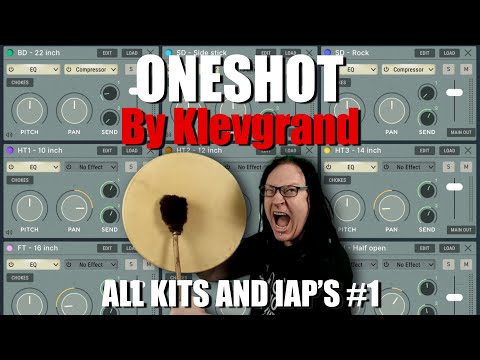
I have a preset demo with finger drumming. I play full kit style (rather than mirrored) so it (hopefully?) gives the feel of an e-kits sound as well
As opposed to via a sequencer with humanizing elements applied
I linked it much further back in the thread, and to avoid reposting my own content, here's the dedicated thread with the video
https://forum.audiob.us/discussion/62410/oneshot-papab-finger-drums-the-standard-acoustic-presets#latest
Volume a little soft. I messed up somewhere and am trying to correct for next, just a heads up
Working on another preset pack for the weekend (hopefully with finger drumming video to accompany, if new cam works well enough)
Thanks @Pxlhg ans @filo01
I have an Alesis DM6 electric kit and was wondering how well an actual kit would play using this app. The videos sound really good.
Hi,
That would be my question also @rud.
I'm a drummer and have my trusty turn of the century td20 based home built kit.
I guess that the hihat implementation would be one point I would be interested in knowing.
Unfortunately I have my 8gen iPad frozen at 14.4 and can't buy one shot ATM but would if I could.
I'm using DrumPerfect pro currently and almost done with a decent ac practice kit It sounds good imho
If you do get oneshot plz post impressions. Thanks
@espiegel123 i was impatient. It works in auria pro. 😀
Still loving this more every day. Got the jazz and metal kits, and am super happy.
Does anyone know where the app actually stores its User kits, or the ones loaded by import? I looked in the “on my iPad” area for a named folder, but didn’t see one. Does it really do it all in closed app resources?
If I had released an app with thousands of meticulously sampled sounds, I would have put them in closed app resources.
Edit: ah, maybe you were not talking about the samples, but the kit definition files. Scractch that
Oh yeah. I guess I should have specified... but you're right. The downloaded sets I got from their site would be sample sets, which they'd want to protect.
Likely in a non-public directory. It makes sharing between standalone and AUv3 easier due to the quirky was iOS is set up. (Yes, some developers take advantage of some newer OS file handling to get away from that but a lot of developers stick with the old way because it is easier).
They recently changed it to 24 slots, but it used to be 15.
I think, just go through the kits and decide what you want to leave out, I don't think there's a fixed answer. You could always use 2 octachrons of course if you do want to be able to trigger anything in those larger kits
No worries! Although the mapping is not totally consistent across all the presets, eg some have 2 snare triggers, some 3 or 4, I found that once I mapped one to a controller, in my case Xequence Pads, I was able to apply it fairly well to many of the presets even without tweaks
Yeah some drums move around and get multiplied what not, but it's so stupid simple to drag that colored spot from one key to another, it takes 2 and half seconds. I think it's really well thought out.
Default state is GM so just choose that (I'm taking for granted there is one in X (I have it but I'm lazy). There are a few kits that go off from that but that's pretty much impossible to cover with a new map every time anyway.
I've tried Riffler as an engine for OneShot and the results with sets from the percussion category along with the Riffler Endless mode are very interesting. I definitely recommend trying it out
EDIT: This couple could be even more fun when you invite Octachron to the party. Here it is a fast short example with 60's acoustic kit. All kick and snares are from Octachron, rest of instruments are from Riffler in endless mode:
So what about the additional jazz samples then ?
If only euclidean sequencing ( for now ) outside of oneshot.
Would I buy in case euclidean is just for niche and do end up using oneshot, with launchpad triggers.
Is it normal for apps to not give access to samples or a choice?
I mean.
If I made samples in drambo or koala.
There would be access to samples.
Id be using an au per track that could sequence drums and round robin variations. For a less random round robins across a song.
It makes oneshot, slammer, ting a waste.
Even though iv sampled these apps.
Doubt id make/store a load of round robins.
Then you feel obliged to pay cloud subscription because of time it takes to make own samples.
When an install could just have a files directory.
Whats your take on drum drops.
If I need to sequence hits elsewhere and maybe have some round robin versions of the hits to also sequence ( without having to resample everything like oneshot )
Iv already bought oneshot and it is mainly electronic ( good electronic drums ) then loads of toms. Then some kits.
There is likely enough hits to make kits and if I load a sample. Just maybe then sample a few or more round robin versions ( until Iv got all samples and robins over time )
With drum drops I shouldnt need to do that.
Although there is patch making ( what is this ? )
Do you actually get loads of samples also. Is there like 100s per pack etc ?
What type should be bought. The £30 or £20. Needing robin versions of hits etc but unsure about patch making.
Or is there enough acoustic drums now with just oneshot and sampled round robins ?
Which auv3 drum sequencers are people getting best results with OneShot? I can imagine finger drumming may well be best with generous editing in post so maybe with that approach recording straight into the raw is they way to go. Any insights into what’s working for you geniuses is greatly appreciated
Why not implement playable pads like in thing or slammer ???
I'm using Octachron and Funk Drummer.
No matter which sequencer you choose, I recommend putting something like MIDI Curves (from the MIDITools suite) in-between the sequencer and OneShot. Playing with the three knobs Drive, Dampen and Random is a great way to bring out the dynamics of the round-robined velocity layers.

Patterning 3 (just sending midi) works great for me with OneShot. Strokes (again as midi) too.
That's great idea, thank you @bleep!
Thanks to all for their recommendations. Been playing with Octachron bit and getting somewhere interesting but it still sounds too machine-like (rhythmically). I have no doubt that’s on me!
@bleep thanks for the MIDItools suggestion. Will that work within a daw (rather than AUM)? Sounds like a great approach.
I made something in Drambo, that I think can sound less machinelike. There's a video by me early in this thread, that shows it in action. It's on patch storage and called oh snap! I'm having lots of fun with it driving OneShot.
It should work in any place where you can insert a MidiFX plugin, taking midi in and sending transformed midi out. I only have experience with AUM and Drambo (both working fine), perhaps @Gavinski or any others can comment on whether MidiTools work in Loopy, LP, Cubasis ...?
I only use AUM. Midi tools indeed works great there and is great for combining with OneShot
Magic! Thanks for this, will check it out.
I use anything but AUM No disrespect to the wonder that is AUM, it's just doesn't align with the way my brain works