Loopy Pro: Create music, your way.
What is Loopy Pro? — Loopy Pro is a powerful, flexible, and intuitive live looper, sampler, clip launcher and DAW for iPhone and iPad. At its core, it allows you to record and layer sounds in real-time to create complex musical arrangements. But it doesn’t stop there—Loopy Pro offers advanced tools to customize your workflow, build dynamic performance setups, and create a seamless connection between instruments, effects, and external gear.
Use it for live looping, sequencing, arranging, mixing, and much more. Whether you're a live performer, a producer, or just experimenting with sound, Loopy Pro helps you take control of your creative process.
Download on the App StoreLoopy Pro is your all-in-one musical toolkit. Try it for free today.
Comments
In other words, you’re seeing reflections from the other side, which gives the illusion of more shapes
Yup, that is.
Looking good from the screenshot.
I'll check this out.
Thanks.
@pedro
That is awesome.
Ah, ok, sorry 😬
I’m just puzzled cause I can’t find a single pentagon, but I trust your word (and it’s gemini’s credit for the SDF)
Yep 😄 when you mentioned the screen shot looked good, I thought “you ain’t seen nothing”
Didn’t want to give any spoilers
How many fps running 1:1 16:9 full screen do you get? I get 7-49 depending on the locations (iphone 17)
I get 5-12FPS on average on my Macbook Air M1
It seems to go faster on the M5 MacBook Air switching from code to shader kit?!
That looks like a bug, in that switching to shader kit should erase the code. It’s probably running the original code, if you try to insert anything in the rack image will freeze
And I don’t notice any noticeable difference, anyway
The shader runs at different speeds, for instance snow seems to be the most taxing
On my 13" M5 iPad Pro 2TB (16GB RAM), my frame rate is a little better than @Gravitas' but worse than @Samu's with that one.
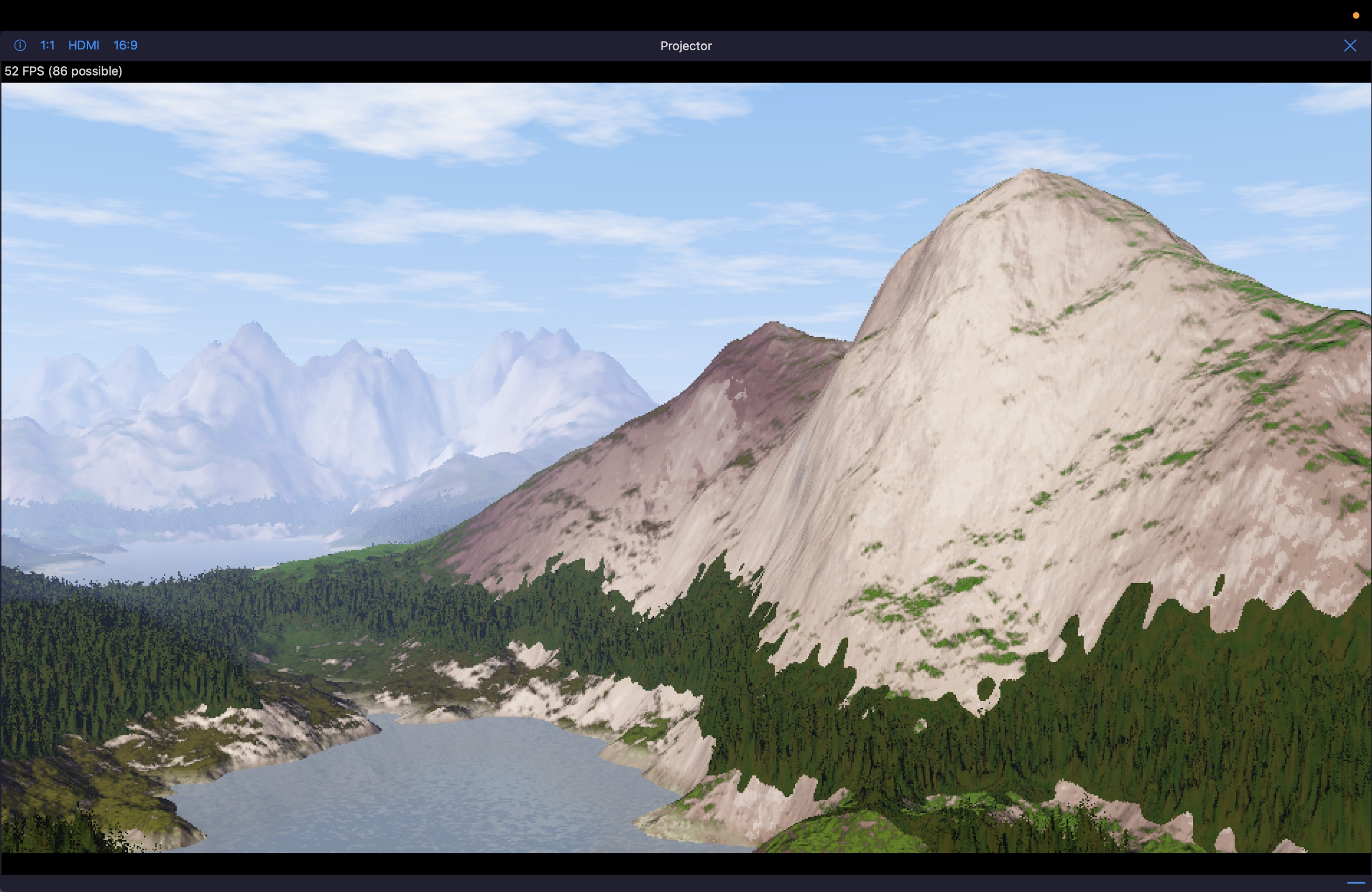
I've always loved this terrain shader.
This was one of my first "ports" I did of a shadertoy gls shader to metal (MSL) conversion for Drambo. This was when I first learned how to use LLMs, and spent many hours going back and forth with error messages, and then things that just didn't look right. Until that one compile, where this beauty emerged.
Slightly altered (and IMO, much better) than the original; and I'm sure the original has some sort of copyright/license.
But it was so satisfying to get it working in Drambo!
(Play with the "TurbBias" knob to make the terrain grow! Also has full camera control pitch/yaw, elevation, focal point, and more)
Can someone please tell me where to find the "reference.md" file referred to in Section 22 of the "Scene Module" page of the Drambo Visual docs (https://www.beepstreet.com/drambo-visual/scene-module.html)? Or maybe just a hint on where to search? Is this a Metal Shading Language doc? A Drambo doc? A Processing language doc?
@BeatsMe good question.
I think that might be referring to the “module reference” doc file which is accessible through the quick help (?) in Drambo
I think he’s still working on this part of the help/reference system, and hasn’t added the visual modules just yet.
Edit: looking at the scene module page again, I don’t think it is talking about the module reference after all.
A quick look using Google returned this
"The reference.md file in the BeepStreet Drambo Visual/Scene Module documentation serves as a technical lookup dictionary for custom GLSL shader coding. It lists built-in variable names, math constants, and functions necessary for creating visual nodes and ensuring code compiles correctly."
Google is hallucinating. Drambo uses Metal Shader Language (MSL), not GLSL.
It doesn't matter about the language used in this case,
what matters is that reference.md is a look up dictionary for dRambo's Scene module.
From what I've gathered users cannot access it directly
however I'm sure @giku_beepstreet will be able to clarify this at some point.
Is anyone else completely unable to import videos and images?
I had this problem until I realised that the problem was that I was trying to import different images which had the same name - Untitled. When trying to do that Drambo just seems to ignore actually importing the new file. Presumably this is a bug and it should automatically append _1, _2 etc. to the names to differentiate them as it imports? @giku_beepstreet?
If this isn’t what’s happening in your case, I’m not sure what’s causing the problem I’m afraid.
I had some problem importing some images, I suspect it was the file type. Screenshoting and importing the screenshot worked for me.
Are you importing files or from the photo library? Where exactly is the problem? PM me please.
Screenshot of a project I'm currently working on in DV.
It's called "MIDI Meadow"
Flowers grow and bloom from incoming MIDI notes.
I'll share the project file soon if anyone is interested.. still refining it a bit.
Nice, this is the sort of thing I’m more interested in making rather than the ‘standard’ shader type patterns. Thanks for sharing.
I just went to do some screen recordings of the issue and everything I tried to import worked first time! Previously I couldn't import from the local drive, the photos app, my NAS, anything.
Thanks! Out of all the recent Visual apps that have come out, Drambo Visual offers the most flexibility for users to be truly creative.
Have you seen this one? This was from a couple years ago during the beta testing period (2024?), I was testing the Text module and discovered that we could also use emoji rather than your typical text.
I wanted to name it something like "When you arrive at Emojitown, take a right on Beepstreet" 😅
All sounds and visuals created in Drambo
And another one, although with this one, I did use some AUV3 instruments for the soundtrack.
All of the visuals are 100% Drambo as above
Really interesting to see, thank you for sharing @Edward_Alexander, lots of approaches for me to explore I can see. Cheers.
Can you share a video to show how the flowers grow? This looks really promising!
Sure thing! Give me a couple hours as I’m currently preparing supper for my family. I’ll try to upload something this evening.
So here's a quick (silent) video capture of one of the working versions I have right now. Keep in mind it's still a work in progress as far as what I'd like it to end up looking like. I've gone back and forth with CGPT quite a bit trying to get the flowers to look like "flowers" rather than the star shapes that were in the initial version.
Now I'm trying to adjust the "wilt logic" where the flowers wilt and fade away slowly, making room for new ones.
FWIW, this is a variation and/or a refined version of one of the existing Scene presets of the MIDI category.
@lukesleepwalker just paging you in case you didn't see my edit above.
Edit: more info; so the video demo above is just a single layer. I'm sure you can tell the image I posted first has two layers of this, along with a third layer depicting the "sun" effect. I also have one in my current project where I have a ladybug (emoji) flying around randomly.
I had missed the edit so thanks for the nudge. It looks GREAT. Now you've inspired me...
btw. the Scene module is unique among visual and shader editors on iOS. It’s like a processing.org style language built on Metal, where you can store custom state, and even build a playable game. Something that is difficult or impossible to achieve with pixel shaders.