Loopy Pro: Create music, your way.
What is Loopy Pro? — Loopy Pro is a powerful, flexible, and intuitive live looper, sampler, clip launcher and DAW for iPhone and iPad. At its core, it allows you to record and layer sounds in real-time to create complex musical arrangements. But it doesn’t stop there—Loopy Pro offers advanced tools to customize your workflow, build dynamic performance setups, and create a seamless connection between instruments, effects, and external gear.
Use it for live looping, sequencing, arranging, mixing, and much more. Whether you're a live performer, a producer, or just experimenting with sound, Loopy Pro helps you take control of your creative process.
Download on the App StoreLoopy Pro is your all-in-one musical toolkit. Try it for free today.
Comments
Yeah I saw that and agree with pretty much everything he said.
I’m really happy with mine. Would love to see a basic phrase looper added and think the channel eq on the master is really dumb - give us the dj tools lol.
Would also like to see a pump option on each track if we can’t have sidechain.
What’s amazing to me is how well it works with the melodica iPad app. USB-Audio into the move. MIDI and pad lights all translate perfectly from the iPad to move. Really wish they would open the usb-c midis for iPad. Would make a great controller. One of the marketing claims is the midi connection with other gear. Wish that included the iPad.
I think even if it could make a good controller for iOS, that’s perhaps missing it’s strength.
I’ve had mine for a few days now and honestly I don’t want to connect it to anything because then I’d be thinking again. This is up there with the original x0x boxes for being able to disconnect and make music with your hands (not your eyes.)
I should probably clarify this with - Not in ‘real time’ at least.
I’m actually impressed with how smooth the workflow is between making edits in MOVE and how quickly those Set changes are reflected back in the Cloud on NOTE.
And vice versa.
So in that respect, there is a fair amount of control between the two.
I wasn’t really keen on using Note prior to getting Move.
Now the combo seems pretty addictive.
This exactly. Just write some music with it.
That's been one of my favorite things too. So nice to bounce back and forth and take advantage of the strengths of both. I'm actually kind of surprised so many people want Move to be a controller for Note tbh. Other than the 8 tracks in Note, you get more functionality out of Move. So....just use Move if you already have it.
“ I'm actually kind of surprised so many people want Move to be a controller for Note tbh. Other than the 8 tracks in Note, you get more functionality out of Move. So....just use Move if you already have it.”
Why wouldn’t people want a well-built compact controller for the iPad? The tech is already there as demonstrated by the Melodics app integration. Their marketing talks about the ability to work with other gear. I get that it works well as a stand alone but I don’t understand not wanting better midi implementation.
I didn't say I was surprised that people wanted it to be a general purpose iOS or MIDI controller, I was specifically referring to people who want it to be a controller for Note. You already have all the functionality of Note and then some in the hardware (minus the extra 4 tracks like I said), so why not just use the hardware and skip having to connect it to an iPad or iPhone?
It’s extremely fun to play, I am a big fan of the pads.
Does anyone know if it's possible to set the sample input to mono?
When in Chromatic note mode can I adjust the position of the scale so the tonic is wherever I want it? So for example in C major the C would start on lowest pad.
I know I can do this on Push but I don’t see it in Move manual?
So bloated again.
Just want to be sure of all things before I expel the gas one way or another.
👍
I flipped
Did it!
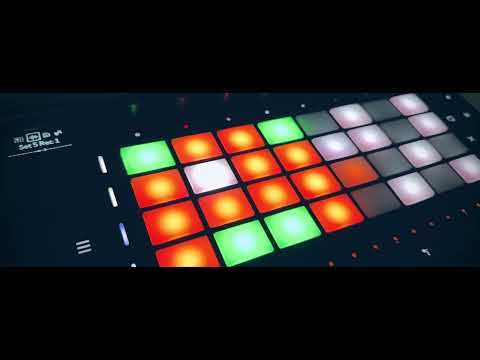
This video sold me the Move
Today my kids played 2 hours with Ableton Move.
After that, I spent 1 hour moure resampling and playing with my kids sessions.
They love this little machine.
For any of you that might be interested I’ve been sequencing my iPad from move using the nektar WIDIflex usb dongle, class compliant so it plugs straight in and works with very low latency, you can use the built in arp, note repeat, scales etc. and I’ve tried mapping a drum track to beat makers pads which works as expected..
Grooving today:
Nice. Enjoy!
I’d love to know more about your workflow. I still haven’t had much luck trying to use move as a midi controller for the iPad.
There’s not a massive amount to tell fella really, mostly I’m using move to sequence iPad synths and sample them back into move, just a neat way to expand the palette of sound available, the beat maker thing was just a test on my part to see if it was possible to map the pads from a move drum rack which work just fine, so there it is, hopefully they’ll expand the midi so we can use more than one track and more than one midi channel..
I’ll have to watch and check about the resampling thing but…
A lot of people making videos about the Move who have almost no clue about it. 😂
I feel like Ableton gotta be laughing their arses off at some of the critics.
Edit: Ok yeah, this guy is just mad that the machine won’t bend to him regarding the resampling. People always expect every feature just because other machines have it. I kinda think these dudes make the same hip hop beat over and over and while I get the satisfaction in that, not everything has to MPC bro.
Using Move's Step sequencer to add notes in Ableton is my new favourite thing.
I think adding things in firmware is a given, as Ableton have already said they have a road map of additions (sorry can't remember where I saw it). What they have ideas on is anyone's guess.
My favorite device (the SP404mk2) is unrecognisable to when it was released. The last firmware 4.04 was that amazing I'm thinking of buying a second one!
My take would be, if you use Ableton, buying the move at its price is a no brainer. If like myself you have a SP404mk2, a Circuit Rhythm and have an MC101 on the way, I would probably wait and see what updates bring to the party.
I'm pretty sure Ableton will give the Move some decent upgrades if it sells well - which I'm sure it will.
Has anyone suss out if there is a way to latch pads while using an arp?
I dig this dudes 'robot doing a bad Christopher Walken impression' vibe.
He has great videos, good musician too.
Workflow question…
Based on specs it looks like it has class compliant audio… but there’s some weasel words around the claim in the specs.
Sooooo… Is it possible to send audio FROM the iPad into move to sample? And can you record audio out of move into the iPad?
Not from iPad to the Move over USB afaik. You can record audio out of Move into the iPad and you have the Move stereo line in too so it is functional as a basic audio interface.
From Ipad to the Move would be dope, but as it is I think the Move is already much better as an interface say compared to the small Roland Aira boxes.
I like this thing, even as a non ableton user. Gonna buy it later most probably. Would be nice if operator will find it‘s way to move. The FM Synth is much easier on the cpu than wavetable i assume?