Loopy Pro: Create music, your way.
What is Loopy Pro? — Loopy Pro is a powerful, flexible, and intuitive live looper, sampler, clip launcher and DAW for iPhone and iPad. At its core, it allows you to record and layer sounds in real-time to create complex musical arrangements. But it doesn’t stop there—Loopy Pro offers advanced tools to customize your workflow, build dynamic performance setups, and create a seamless connection between instruments, effects, and external gear.
Use it for live looping, sequencing, arranging, mixing, and much more. Whether you're a live performer, a producer, or just experimenting with sound, Loopy Pro helps you take control of your creative process.
Download on the App StoreLoopy Pro is your all-in-one musical toolkit. Try it for free today.
Comments
It‘s still not to receive midi clock. You can now SEND clock while also receivimg notes. Still useless for me. But it‘a just a matter of time til clock in works.
Absolutely. A hardware groovebox needs to support MIDI clock slave sync but I'm not surprised that Ableton hasn't done it, they've been unnecessarily cautious with their clock slave implementation in Ableton Live and I suppose it's more or less the same team of developers.
How to use Teenage Engineering M1 headset mic with Move? Success with Nux Mighty Plug Pro.
I’ve been trying to engineer my way round this for a while, the M1 headphones are great when wanting a lightweight set up with a mic. They have a TRRS 4 pole plug, but the Move input requires TRS 3 pole line level.
So, the problem was how to supply plug-in power to the headset mic (I presume that’s what it needs, not entirely sure though) and boost the signal to line level. I had success with the Joyo Momix Pro, but still a little too bulky for convenient use.
Then I remembered the Nux Mighty Plug Pro accepts a TRRS mic input via its headphone jack. After a lot of head scratching I cobbled together the right cables and now I have the mic loud and clear going into Move’s sampler and the output back to the headphones.
I’ve not had to configure the Mighty Plug Pro at all, it just seems to work. In theory of course it means I can also use it for its intended purpose of electric guitar into Move, that’ll be my next adventure, but happy for now to have the mic working.
Cables are:
From headset:
Female TRRS splitter to twin TRS male
(Headphone plug to Move headphone out, mic plug to 2nd splitter)
From Mighty Plug Pro:
Male TRRS splitter to twin TRS female
(Mic socket to headset splitter, headphone socket to Move line input via short 3.5mm regular TRS mini jack cable).
I hope that helps someone (probably/possibly if you own some of those bits and pieces anyway). It’s taken me ages to work out how to combine Move and the M1 headset relatively gracefully, major Eureka moment now it’s working.
Further to the above successful test with the Teenage Engineering M-1 headset, in my travels I came across the Behringer BC12 headphone cable with boom mic. Costs under £10 and adds a functional mic to any headphones with a 3.5mm mini jack socket.
This has enabled me to ‘upgrade’ my Aiaiai headphones (which I love for making music, compared to the M-1 which are mostly just for convenience). All sounds good and clear with Move (via the Nux Mighty Plug Pro).
The Behringer cable has an off switch too, to turn the mic off.
…and continuing my personal journey. Now able to feed Move into Loopy Pro (with headset mic) and back to my headphones.
Had to use another audio interface with an aux line in (a very ancient line6 sonic port in this case), as at the moment you can get audio to the iPad from Move via usb-c, but not back the other way (except in Control Live mode).
Sending midi from Move to the iPad via Bluetooth widiflex dongle. Both devices using Ableton Link for sync.
Main purpose of all this is to live sample into Move from my mic/guitar, play/sequence a melody/loop on Move, record to Loopy, rinse and repeat.
I have seen that there is a new version 1.3.0.
Yep.
https://www.ableton.com/en/release-notes/move-1/
Main thing is audio in over USB-c from device. Says it will work with lightning connection, with CCK and an adapter. I had no luck getting it to work.
Same for me. It doesn't work via the Apple lightning dongle. The guy in this video makes it work (at 03:00) but not me...
My first attempts involved an iPhone 12 and an iPad 9, both on the latest OS. I get the same result with both of them: the screen on Move starts cycling between the messages “Connected” and “Disconnected”. I assume I burned through a dozen or so charge cycles trying this.
Today I tried it with an iPad Pro 2nd gen on 17. The Connect/Disconnect message popped but then a message telling me that the charger didn’t have enough power popped up then went away. I fired up AUM and it showed audio out as being USB-c and Move recognized incoming audio. Maybe an OS version issue?
Ableton has a proprietary data/power splitter that would probably overcome the issue. But damn, there’s USD 20 and cutting into mobility. Good news is I can sample either iPad with 1/8 inch cable and the phone with that and the lightening adapter.
Maybe a future update to either OS or firmware will fix it.
Works fine here. Ipad pro 11” 4th
Version 1.5 brings some essential improvements
Now even better
From the 1.7 release notes:
https://www.ableton.com/en/release-notes/move-1/
Getting closer to tempting me to buy one of these.
Being able to use it as an iPad/desktop controller, and send MIDI to hardware synths, as well as a standalone device makes it a much more flexible purchase.
I’ve seen one recent Move vs Note vid where the author wishes the device could properly connect to an iPad and control Note. He seems to think it can’t - but if it can….
I've just been trying out what "This makes it possible for Move to exchange MIDI with... an iPad or iPhone with Ableton Note or other apps" actually means for iOS. Essentially it means you can use an iOS device as a sound module. You can send midi to an iOS app over USB-C (or USB-C to lightning with a CCK) and then sample the audio back on the Move. It doesn't work as a controller or a direct audio interface for Note (audio only via the sampler).
EDIT: maybe it can pass audio through? - see @zzrwood post below.
The pads on the Move send midi, but not the knobs.
Of the 2 Move midi ports that show up on iOS, 'User' (not 'Live') is the one that transmits midi notes.
There's also talk on the Elektronauts Ableton Move User thread about being able to send midi back to Move. This isn't working for me, but there is a reported solution that I'm currently too scared to try on my iPad...:
https://www.elektronauts.com/t/ableton-move-user-thread/221204/4652
"I chased this down with their beta support team.
If you reset all settings on the iPad it then provides access to all 4 MIDI ports and you can send MIDI to the Move over USB-C. Have suggested they mention it in the release notes."
Followed by this clarification from the same person:
https://www.elektronauts.com/t/ableton-move-user-thread/221204/4658
"I had a problem where I couldn’t send MIDI from the iPad to the Move over USB-C, because the iPad could only see 2 of the 4 MIDI ports that the Move has. The iPad needs to be able to see the “Standalone” MIDI port to be able to send MIDI to the Move.
If you have the same issue you might want to try resetting all settings, as I was recommended to do by Ableton. On the iPad went to Settings > General > Transfer or Reset iPad > Reset > Reset All Settings
This worked for me, I now have two-way MIDI and Audio available over a single USB-C cable between the Move and the iPad…"
From google (proceed at your own peril...):
"What "Reset All Settings" does
This action resets settings without erasing your data.
It will remove network settings, keyboard dictionary, location settings, privacy settings, and Apple Pay cards.
You will need to re-enter Wi-Fi passwords and reconfigure any custom settings after the reset."
This video explains the iOS as sound module well:
That sounds like a killer setup. The presets on the Move are really nice, but I find editing spunds on it to be a bit of a pain, especially the new full Drift, which just has too many parameters.
Using pads with aftertouch and MIDI capture for any ios synth is a great idea. Thanks for pointing this out!
That was me posting at Elektronauts…
Resetting all settings is a pain as you will need to setup a few things on your iOS/iPadOS device again - but it has worked for me. I’m not sure but I think that if you haven’t already been using your iPad with the Move it might see all ports straight off. I had been getting around the lack of MIDI I/O by using a Bluetooth MIDI dongle on the Move. Don’t need that anymore.
Also, once you select USB-C audio as an input to the sampler on the Move you can turn off the sampler and it still remains as an input, which is great. One cable gives full MIDI and audio I/O. (You do need to enable audio input again after a restart). And you can send samples, patches and sets to the Move over the same cable.
The Move and an iPad make a great pair. I use Scaler 2 to develop ideas directly on the Move. Everything syncs well using Logic and Link.
It would be great if Ableton were to enable the Move as a controller for Note 🤞
I hope that was ok with you that I quoted you here? Apologies for not asking first - it was very valuable information and it took me a while to find anything about the Move update and iOS at all.
Will try the reset on my music iPad later today. Thanks for putting the info out there.
Did the iPad settings reset and now 2 way midi working on the “Ableton standalone” port (that wasn’t available before). Worst consequences of the reset so far were having to remember my password for this forum and then that my onscreen keyboard is clicking
2 way midi is good, but perhaps more of a revelation for me is being able to have audio pass through from the iPad. As reported by @zzrwood you need to enable monitoring in Move’s sampler, then it persists even after switching monitoring off. An excellent discovery.
The other great thing in this 1.7 update is the Move’s brightness setting - having ‘dim’ pads is making it a much more pleasurable user experience.
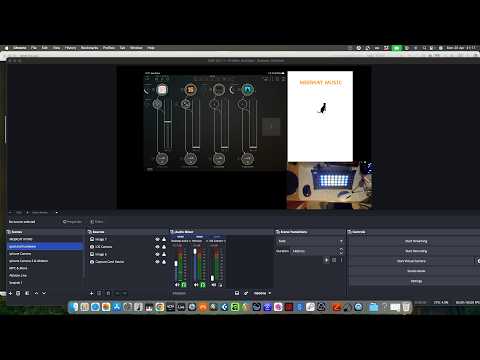
Picked up the Move finally a few weeks back just testing it out as a midi 4 track controller in AUM. Works pretty sweet.