Loopy Pro: Create music, your way.

What is Loopy Pro?Loopy Pro is a powerful, flexible, and intuitive live looper, sampler, clip launcher and DAW for iPhone and iPad. At its core, it allows you to record and layer sounds in real-time to create complex musical arrangements. But it doesn’t stop there—Loopy Pro offers advanced tools to customize your workflow, build dynamic performance setups, and create a seamless connection between instruments, effects, and external gear.

Use it for live looping, sequencing, arranging, mixing, and much more. Whether you're a live performer, a producer, or just experimenting with sound, Loopy Pro helps you take control of your creative process.

Download on the App Store

Loopy Pro is your all-in-one musical toolkit. Try it for free today.

Ableton Move

18911131419

Comments

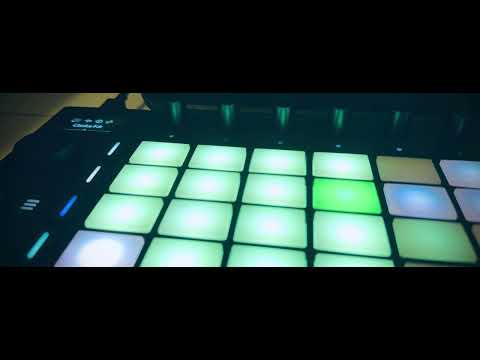
  • The hardware shot of what i posted in Note:
  • @oldsynthguy said:

    I’ve got a Launchkey 49 mk2. The connectivity is actually ok, but the keyboard is horrible, and it’s too big for my desk with the computer. Also missing drum pads.

    Yeah as a main controller for Live you'll definitely be better off with a Launchkey (the new Mk 4's have a nice semi-weighted keybed).

    The Move will do enough to complement it's connection with Live and the 4 instrument presets that make up your Set. But I won't be ditching my Launchpads or Launchkeys.

  • @SpookyZoo said:

    @oldsynthguy said:

    I’ve got a Launchkey 49 mk2. The connectivity is actually ok, but the keyboard is horrible, and it’s too big for my desk with the computer. Also missing drum pads.

    Yeah as a main controller for Live you'll definitely be better off with a Launchkey (the new Mk 4's have a nice semi-weighted keybed).

    The Move will do enough to complement it's connection with Live and the 4 instrument presets that make up your Set. But I won't be ditching my Launchpads or Launchkeys.

    It’s always been the size, and crap keyboard that’s put me off using it, and I’d forgotten the pads could trigger drums as well (though they’re too stiff for proper finger drumming).

    I think I need to checkout the 25 key mini v4, since it’s a quarter of the price, before diving into a Move purchase. That could probably control Note too? I’m seriously getting into Note now.

  • @oldsynthguy said:

    I think I need to checkout the 25 key mini v4

    Regarding Launchkey mk 4. Only the 49 & 61 have the semi weighted keys.

  • A longer playthrough video from Ricky with Move:

  • edited October 2024

    @SpookyZoo said:

    @oldsynthguy said:

    I think I need to checkout the 25 key mini v4

    Regarding Launchkey mk 4. Only the 49 & 61 have the semi weighted keys.

    Thanks for this - I’ve just watched the loopop vid. I’m totally gobsmacked by how good the mk4’s are, the integration with Live is incredible. I wouldn’t go bigger than 37 keys since space is an issue, so my choice would be between a Mini or mid-range Launchkey, 25 or 37 keys (mid range 25 key looks the best fit, with extra buttons to save menu diving compared to the Mini). Haven’t checked to see what iPad integration is like, but this absolutely covers my desktop Live requirements, and much more. The endless encoders fix the irritating ‘jump’ the mk2 knobs do, too when tweaked.

    Really appreciate the Launchkey nudge, I’d be daft spending £400 on a Move just for controller usage when a 25 key Mini LK is only £100. I’ll watch the Ricky vid, but I think I’m sold on the mk 4!

    Apologies for derailing the thread!

  • Yeah sorry folks for the Launchkey derail.

    @oldsynthguy There is some crazy cool Ableton integration stuff on the Mk4's. My workhorse is the mk3 88, but I beta tested the mk4's and was super impressed. I'm not sure they'll go with a mk4 88 though.

  • @AudioGus said:

    @tahiche said:

    @Danny_Mammy said:

    @cam said:

    @SpookyZoo said:
    I'll be digging in tonight (so in about 6 hours).

    Let me know if you have any questions. I'll try and answer those I can. With pics and vids if possible.

    Feels great btw. Build quality is awesome. Good weight to it.

    I have some questions… can you help me?

    Will move and an iPad will work together?
    I have live 9 so probably move and Ableton live wouldn’t be a good combination. Am I right?

    Besides move’s Ableton integration are similarities between the sp404 Mii and move?

    Thanks 🙏

    Move and Ipad don't work together unless you want to sync both via link (Move is not a controller for note), you can transfer your projects from Move to note via cloud and carry on in note. Note has 8 tracks so you can only transfer 4 tracks to move.

    you have to have live 12.1

    (Move is not a controller for note) I’ve been reading about Move and this is the biggest flaw, just don’t get it.
    I guess you can’t control Note with a Push either. Right?. Why would you not implement this?. I guess the only reason is you want to sell more Ableton Live licenses. But you need a computer for that.

    Yah, there are a ton of people who want to be DAWless with this sort of stuff but I guess they know Live is a base to build on so they started there. Hopefully marketing ecosystem corporate rules don't have their hooks in the process too cripplingly deep. These things can be updated just like apps these days so i wager a good many things are possible yet.

    I bought a used Push (v1) to check what it was about. Pretty fun with BitWig using the Jorgen Moss script thingy. Which is preciously my point. If it can work with a 3rd party app like BitBig or Reaper. How do you justify it not working with Note, being the same company?. There’s no use in iOS for the Push, and I can see the Move is the same.

  • Can anyone name a dedicated controller that works with a native driver on iOS? Maschine? Launchpad? I’m not talking midi mappable, I’m saying runs natively.

    I’m pretty sure there aren’t any. Because you can’t install a driver on iOS, I don’t think.

  • @tahiche said:

    @AudioGus said:

    @tahiche said:

    @Danny_Mammy said:

    @cam said:

    @SpookyZoo said:
    I'll be digging in tonight (so in about 6 hours).

    Let me know if you have any questions. I'll try and answer those I can. With pics and vids if possible.

    Feels great btw. Build quality is awesome. Good weight to it.

    I have some questions… can you help me?

    Will move and an iPad will work together?
    I have live 9 so probably move and Ableton live wouldn’t be a good combination. Am I right?

    Besides move’s Ableton integration are similarities between the sp404 Mii and move?

    Thanks 🙏

    Move and Ipad don't work together unless you want to sync both via link (Move is not a controller for note), you can transfer your projects from Move to note via cloud and carry on in note. Note has 8 tracks so you can only transfer 4 tracks to move.

    you have to have live 12.1

    (Move is not a controller for note) I’ve been reading about Move and this is the biggest flaw, just don’t get it.
    I guess you can’t control Note with a Push either. Right?. Why would you not implement this?. I guess the only reason is you want to sell more Ableton Live licenses. But you need a computer for that.

    Yah, there are a ton of people who want to be DAWless with this sort of stuff but I guess they know Live is a base to build on so they started there. Hopefully marketing ecosystem corporate rules don't have their hooks in the process too cripplingly deep. These things can be updated just like apps these days so i wager a good many things are possible yet.

    I bought a used Push (v1) to check what it was about. Pretty fun with BitWig using the Jorgen Moss script thingy. Which is preciously my point. If it can work with a 3rd party app like BitBig or Reaper. How do you justify it not working with Note, being the same company?. There’s no use in iOS for the Push, and I can see the Move is the same.

    Yah a lot of companies see mobile purely as a marketing/gateway device not a platform in and of itself.

  • @drez said:
    Can anyone name a dedicated controller that works with a native driver on iOS? Maschine? Launchpad? I’m not talking midi mappable, I’m saying runs natively.

    I’m pretty sure there aren’t any. Because you can’t install a driver on iOS, I don’t think.

    What do you mean by a dedicated controller and runs natively? If it works, why does it matter if it uses a driver or not? Many apps have integrated the use of the Launchpads and Loopy can use the Akai APC 40

  • @espiegel123 said:

    @drez said:
    Can anyone name a dedicated controller that works with a native driver on iOS? Maschine? Launchpad? I’m not talking midi mappable, I’m saying runs natively.

    I’m pretty sure there aren’t any. Because you can’t install a driver on iOS, I don’t think.

    What do you mean by a dedicated controller and runs natively? If it works, why does it matter if it uses a driver or not? Many apps have integrated the use of the Launchpads and Loopy can use the Akai APC 40

    Push works in Live because they have a specific driver that runs for it to do so. Push works in Bitwig because a guy wrote a driver for bitwig that you can do so. Push works in Reason because a guy wrote specific software to be able to do so. All of these work because you can install the middleware on PC to do so.

    I’ve never seen anybody write a true control surface driver for iOS so that you can use a hardware control surface that isn’t just MIDI Mapped.

    Does the loopy/Apc40 integration use all of the features one for one on the APC40?

  • @drez said:

    @espiegel123 said:

    @drez said:
    Can anyone name a dedicated controller that works with a native driver on iOS? Maschine? Launchpad? I’m not talking midi mappable, I’m saying runs natively.

    I’m pretty sure there aren’t any. Because you can’t install a driver on iOS, I don’t think.

    What do you mean by a dedicated controller and runs natively? If it works, why does it matter if it uses a driver or not? Many apps have integrated the use of the Launchpads and Loopy can use the Akai APC 40

    Push works in Live because they have a specific driver that runs for it to do so. Push works in Bitwig because a guy wrote a driver for bitwig that you can do so. Push works in Reason because a guy wrote specific software to be able to do so. All of these work because you can install the middleware on PC to do so.

    I’ve never seen anybody write a true control surface driver for iOS so that you can use a hardware control surface that isn’t just MIDI Mapped.

    Does the loopy/Apc40 integration use all of the features one for one on the APC40?

    I don't know if Loopy's APC integration uses every feature of the APC but it is pretty deep. For the APC and Launchpads all the features can be accessed by MIDI without a driver. As far as I know, all the Launchpad/Live integration is done via MIDI and can be done without writing a driver. The reason that Loopy doesn't offer deeper launchpad integration (fader pages, for example) isn't due to lack of a driver -- just lack of time to implement everything.

  • @espiegel123 said:

    @drez said:

    @espiegel123 said:

    @drez said:
    Can anyone name a dedicated controller that works with a native driver on iOS? Maschine? Launchpad? I’m not talking midi mappable, I’m saying runs natively.

    I’m pretty sure there aren’t any. Because you can’t install a driver on iOS, I don’t think.

    What do you mean by a dedicated controller and runs natively? If it works, why does it matter if it uses a driver or not? Many apps have integrated the use of the Launchpads and Loopy can use the Akai APC 40

    Push works in Live because they have a specific driver that runs for it to do so. Push works in Bitwig because a guy wrote a driver for bitwig that you can do so. Push works in Reason because a guy wrote specific software to be able to do so. All of these work because you can install the middleware on PC to do so.

    I’ve never seen anybody write a true control surface driver for iOS so that you can use a hardware control surface that isn’t just MIDI Mapped.

    Does the loopy/Apc40 integration use all of the features one for one on the APC40?

    I don't know if Loopy's APC integration uses every feature of the APC but it is pretty deep. For the APC and Launchpads all the features can be accessed by MIDI without a driver. As far as I know, all the Launchpad/Live integration is done via MIDI and can be done without writing a driver. The reason that Loopy doesn't offer deeper launchpad integration (fader pages, for example) isn't due to lack of a driver -- just lack of time to implement everything.

    Right…because it’s a midi controller when it doesn’t have a custom driver to take advantage of the hardware. In the past 10+ years why has nobody done the same thing to the maschine or push on iOS?

  • So whilst Move is not your ultimate Ableton Controller, I do want to highlight some of the nice control it has having loaded up a Move Set via Cloud.

    • The Jogwheel will scroll through the devices on selected track - This is a lot cooler and smooth than it may sound
    • The 8 encoders will control the 1st 8 macros or controls of selected device
    • Shift & Encoder for discrete values
    • The Move volume knob will control master volume, when a track button on Move is also pressed, this will control track volume
    • The Copy button will duplicate the currently focused MIDI clip
    • Transport & other buttons (Undo, Mute etc all work as expected)

    Beware the Delete button. This will delete your focused MIDI clip, but no worries as undo is there.

  • edited October 2024

    @drez said:

    @espiegel123 said:

    @drez said:

    @espiegel123 said:

    @drez said:
    Can anyone name a dedicated controller that works with a native driver on iOS? Maschine? Launchpad? I’m not talking midi mappable, I’m saying runs natively.

    I’m pretty sure there aren’t any. Because you can’t install a driver on iOS, I don’t think.

    What do you mean by a dedicated controller and runs natively? If it works, why does it matter if it uses a driver or not? Many apps have integrated the use of the Launchpads and Loopy can use the Akai APC 40

    Push works in Live because they have a specific driver that runs for it to do so. Push works in Bitwig because a guy wrote a driver for bitwig that you can do so. Push works in Reason because a guy wrote specific software to be able to do so. All of these work because you can install the middleware on PC to do so.

    I’ve never seen anybody write a true control surface driver for iOS so that you can use a hardware control surface that isn’t just MIDI Mapped.

    Does the loopy/Apc40 integration use all of the features one for one on the APC40?

    I don't know if Loopy's APC integration uses every feature of the APC but it is pretty deep. For the APC and Launchpads all the features can be accessed by MIDI without a driver. As far as I know, all the Launchpad/Live integration is done via MIDI and can be done without writing a driver. The reason that Loopy doesn't offer deeper launchpad integration (fader pages, for example) isn't due to lack of a driver -- just lack of time to implement everything.

    Right…because it’s a midi controller when it doesn’t have a custom driver to take advantage of the hardware. In the past 10+ years why has nobody done the same thing to the maschine or push on iOS?

    Apple has blindsided many a peripheral company (not just music). It's not a safe platform.

  • @oldsynthguy said:

    @SpookyZoo said:

    @oldsynthguy said:

    I think I need to checkout the 25 key mini v4

    Regarding Launchkey mk 4. Only the 49 & 61 have the semi weighted keys.

    Thanks for this - I’ve just watched the loopop vid. I’m totally gobsmacked by how good the mk4’s are, the integration with Live is incredible. I wouldn’t go bigger than 37 keys since space is an issue, so my choice would be between a Mini or mid-range Launchkey, 25 or 37 keys (mid range 25 key looks the best fit, with extra buttons to save menu diving compared to the Mini). Haven’t checked to see what iPad integration is like, but this absolutely covers my desktop Live requirements, and much more. The endless encoders fix the irritating ‘jump’ the mk2 knobs do, too when tweaked.

    Really appreciate the Launchkey nudge, I’d be daft spending £400 on a Move just for controller usage when a 25 key Mini LK is only £100. I’ll watch the Ricky vid, but I think I’m sold on the mk 4!

    Apologies for derailing the thread!

    I just picked up a Launchkey mk4 and it's incredible. Highly recommend.

  • edited October 2024

    @AudioGus said:

    @drez said:

    @espiegel123 said:

    @drez said:

    @espiegel123 said:

    @drez said:
    Can anyone name a dedicated controller that works with a native driver on iOS? Maschine? Launchpad? I’m not talking midi mappable, I’m saying runs natively.

    I’m pretty sure there aren’t any. Because you can’t install a driver on iOS, I don’t think.

    What do you mean by a dedicated controller and runs natively? If it works, why does it matter if it uses a driver or not? Many apps have integrated the use of the Launchpads and Loopy can use the Akai APC 40

    Push works in Live because they have a specific driver that runs for it to do so. Push works in Bitwig because a guy wrote a driver for bitwig that you can do so. Push works in Reason because a guy wrote specific software to be able to do so. All of these work because you can install the middleware on PC to do so.

    I’ve never seen anybody write a true control surface driver for iOS so that you can use a hardware control surface that isn’t just MIDI Mapped.

    Does the loopy/Apc40 integration use all of the features one for one on the APC40?

    I don't know if Loopy's APC integration uses every feature of the APC but it is pretty deep. For the APC and Launchpads all the features can be accessed by MIDI without a driver. As far as I know, all the Launchpad/Live integration is done via MIDI and can be done without writing a driver. The reason that Loopy doesn't offer deeper launchpad integration (fader pages, for example) isn't due to lack of a driver -- just lack of time to implement everything.

    Right…because it’s a midi controller when it doesn’t have a custom driver to take advantage of the hardware. In the past 10+ years why has nobody done the same thing to the maschine or push on iOS?

    Apple has blindsided many a peripheral company (not just music). It's not a safe platform.

    This is the point I’m trying to make. This isn’t NI or Ableton’s fault. It’s Apples for not allowing anyone to write custom drivers that talk directly to the hardware bidirectionally. They allow SOME peripherals and mostly generic ones for things that all of these masses might use, but they haven’t allowed anything like that ever for music gear other than audio interfaces because they wrote it. They aren’t allowing companies to roll their own.

    So when I see folks upset at Ableton about not making Move a Note controller, I really believe it’s just not possible for Ableton to do so.

  • @drez said:

    @espiegel123 said:

    @drez said:

    @espiegel123 said:

    @drez said:
    Can anyone name a dedicated controller that works with a native driver on iOS? Maschine? Launchpad? I’m not talking midi mappable, I’m saying runs natively.

    I’m pretty sure there aren’t any. Because you can’t install a driver on iOS, I don’t think.

    What do you mean by a dedicated controller and runs natively? If it works, why does it matter if it uses a driver or not? Many apps have integrated the use of the Launchpads and Loopy can use the Akai APC 40

    Push works in Live because they have a specific driver that runs for it to do so. Push works in Bitwig because a guy wrote a driver for bitwig that you can do so. Push works in Reason because a guy wrote specific software to be able to do so. All of these work because you can install the middleware on PC to do so.

    I’ve never seen anybody write a true control surface driver for iOS so that you can use a hardware control surface that isn’t just MIDI Mapped.

    Does the loopy/Apc40 integration use all of the features one for one on the APC40?

    I don't know if Loopy's APC integration uses every feature of the APC but it is pretty deep. For the APC and Launchpads all the features can be accessed by MIDI without a driver. As far as I know, all the Launchpad/Live integration is done via MIDI and can be done without writing a driver. The reason that Loopy doesn't offer deeper launchpad integration (fader pages, for example) isn't due to lack of a driver -- just lack of time to implement everything.

    Right…because it’s a midi controller when it doesn’t have a custom driver to take advantage of the hardware. In the past 10+ years why has nobody done the same thing to the maschine or push on iOS?

    Because push and maschine aren’t class compliant. Devices like the Launchpad don’t need a driver.

    I don’t understand “…because it’s a midi controller when it doesn’t have a custom driver to take advantage of the hardware.” what aspect of the Launchpad isn’t accessible via their midi programming interface? Manufacturers can make that stuff available without needing custom drivers. NI and Ableton chose not to.

  • edited October 2024

    @espiegel123 said:

    @drez said:

    @espiegel123 said:

    @drez said:

    @espiegel123 said:

    @drez said:
    Can anyone name a dedicated controller that works with a native driver on iOS? Maschine? Launchpad? I’m not talking midi mappable, I’m saying runs natively.

    I’m pretty sure there aren’t any. Because you can’t install a driver on iOS, I don’t think.

    What do you mean by a dedicated controller and runs natively? If it works, why does it matter if it uses a driver or not? Many apps have integrated the use of the Launchpads and Loopy can use the Akai APC 40

    Push works in Live because they have a specific driver that runs for it to do so. Push works in Bitwig because a guy wrote a driver for bitwig that you can do so. Push works in Reason because a guy wrote specific software to be able to do so. All of these work because you can install the middleware on PC to do so.

    I’ve never seen anybody write a true control surface driver for iOS so that you can use a hardware control surface that isn’t just MIDI Mapped.

    Does the loopy/Apc40 integration use all of the features one for one on the APC40?

    I don't know if Loopy's APC integration uses every feature of the APC but it is pretty deep. For the APC and Launchpads all the features can be accessed by MIDI without a driver. As far as I know, all the Launchpad/Live integration is done via MIDI and can be done without writing a driver. The reason that Loopy doesn't offer deeper launchpad integration (fader pages, for example) isn't due to lack of a driver -- just lack of time to implement everything.

    Right…because it’s a midi controller when it doesn’t have a custom driver to take advantage of the hardware. In the past 10+ years why has nobody done the same thing to the maschine or push on iOS?

    Because push and maschine aren’t class compliant. Devices like the Launchpad don’t need a driver.

    I don’t understand “…because it’s a midi controller when it doesn’t have a custom driver to take advantage of the hardware.” what aspect of the Launchpad isn’t accessible via their midi programming interface? Manufacturers can make that stuff available without needing custom drivers. NI and Ableton chose not to.

    maschine and push are waaaay more advanced than class compliant midi devices. All the UI elements in push…how are you mapping those to midi? Further…why would they even do that? They want you to buy the desktop software. The amount of work they’d have to do to also write midi controller software that then allows you to use it with any other vendors DAW makes no financial sense for them.

    Is it not obvious that Ableton only makes hardware to push you toward Live? Is it not obvious that NI makes Maschine to push you toward the NI software suite?

    Ableton has 3 developers for an iOS app that costs 7 dollars lol. It’s not about selling enough Note licenses to pay for those 3 devs, it’s about selling the Ableton ecosystem.

    If apple ever opens up their driver walled garden, you will see Ableton Live on IPad because then they can also get you with the hardware purchases. Until then, you’ll have sidecar apps like Note that “do enough” to keep you doing something on the go and then pumping that output right back into the Hardware and Ableton Live on desktop.

    Further, Novation is only a hardware company that is trying to push hardware for everything. Of course they are class compliant, but their controllers aren’t anywhere near as advanced as native solutions like push or Maschine.

  • @drez said:
    …..
    Is it not obvious that Ableton only makes hardware to push you toward Live? Is it not obvious that NI makes Maschine to push you toward the NI software suite?

    Ableton has 3 developers for an iOS app that costs 7 dollars lol. It’s not about selling enough Note licenses to pay for those 3 devs, it’s about selling the Ableton ecosystem.

    If apple ever opens up their driver walled garden, you will see Ableton Live on IPad because then they can also get you with the hardware purchases. Until then, you’ll have sidecar apps like Note that “do enough” to keep you doing something on the go and then pumping that output right back into the Hardware and Ableton Live on desktop.

    Further, Novation is only a hardware company that is trying to push hardware for everything. Of course they are class compliant, but their controllers aren’t anywhere near as advanced as native solutions like push or Maschine.

    The OS opened up the possibility of custom drivers in iOS 16 with the release of driver kit.

    Your original post mentioned Launchpad hence my bringing it up.

    I am not arguing that Ableton should open up ; I am just saying one can create devices that don’t require custom drivers . And that the Launchpad , which you mentioned, is an example. That’s all.

  • Having a dedicated undo button is definitely another thing I like about Move a lot. Wish more gear had that!

  • @espiegel123 said:

    @drez said:
    …..
    Is it not obvious that Ableton only makes hardware to push you toward Live? Is it not obvious that NI makes Maschine to push you toward the NI software suite?

    Ableton has 3 developers for an iOS app that costs 7 dollars lol. It’s not about selling enough Note licenses to pay for those 3 devs, it’s about selling the Ableton ecosystem.

    If apple ever opens up their driver walled garden, you will see Ableton Live on IPad because then they can also get you with the hardware purchases. Until then, you’ll have sidecar apps like Note that “do enough” to keep you doing something on the go and then pumping that output right back into the Hardware and Ableton Live on desktop.

    Further, Novation is only a hardware company that is trying to push hardware for everything. Of course they are class compliant, but their controllers aren’t anywhere near as advanced as native solutions like push or Maschine.

    The OS opened up the possibility of custom drivers in iOS 16 with the release of driver kit.

    Your original post mentioned Launchpad hence my bringing it up.

    I am not arguing that Ableton should open up ; I am just saying one can create devices that don’t require custom drivers . And that the Launchpad , which you mentioned, is an example. That’s all.

    I didn’t think the Launchpad was using a custom driver, but just using the generic class compliant driver that apple supports? Or is that incorrect?

    My understanding is that iOS 16 opened up the possibility of drivers, but to what extent that support is seems to be limited or companies would be trying to integrate it and we’d have a bunch more hardware iOS supported controller/audio devices on the market. Even some kickstarter or rasp PI based devices from folks, but I’ve seen none of that available.

  • @Tarekith said:
    Having a dedicated undo button is definitely another thing I like about Move a lot. Wish more gear had that!

    I use the hell out of this on the push 😂

  • All hardware needs an undo button, and a randomize button. :)

  • @SpookyZoo said:
    A longer playthrough video from Ricky with Move:

    That was a good video, fun to watch him get surprised when he realizes things he thought were missing are really there.

  • @Tarekith said:

    That was a good video, fun to watch him get surprised when he realizes things he thought were missing are really there.

    Ha. Yeah that was cool. There were a few of those moments. I mentioned a couple of tips in the comments so he probably had a few more moments like that but not recorded. 🤣

  • A lot of his issues would have been resolved if he remembered the undo button :)

  • @Tarekith said:
    A lot of his issues would have been resolved if he remembered the undo button :)

    He’s gotten too used to Elektron machines :wink:

  • edited October 2024

    Is this basically an Ableton Note controller? Is using my iPad and Note basically the same thing?

    Nice demo video here:

Sign In or Register to comment.